System diagrams
eventcatalog@4.0.0System diagrams help teams understand how systems fit together across an architecture.
They give users a high-level view of all systems, the actors that interact with them, and the relationships between systems. From there, users can drill into a specific system to see the resources that make it up, including services, messages, channels, and data stores.
Start with the System Context Diagram
The global System Context Diagram shows your systems and how they relate to each other.
Use this view when you want to answer questions like:
- What systems exist in this architecture?
- Which systems depend on each other?
- Which people or roles interact with these systems?
- Where should I drill in for more detail?
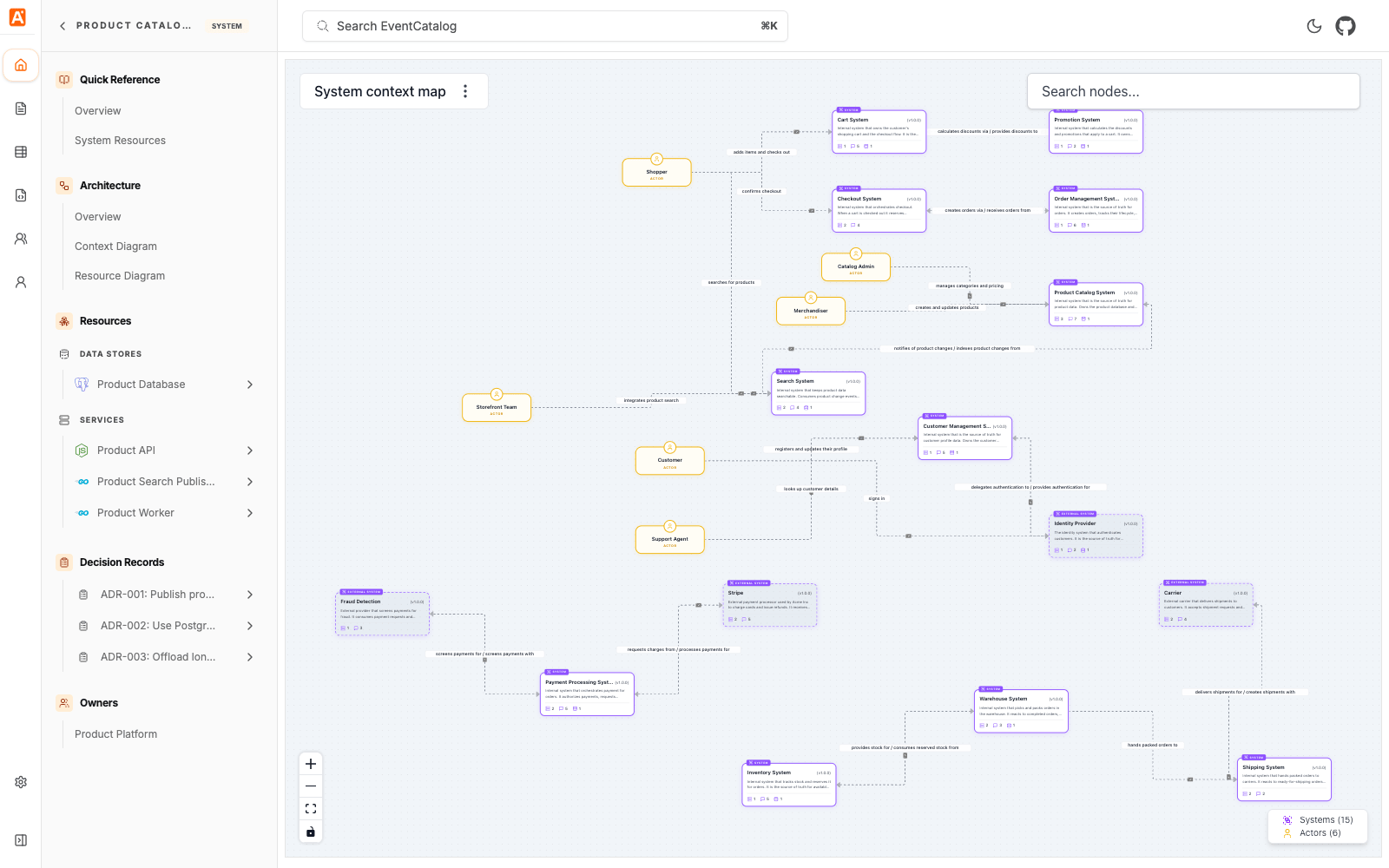
When your catalog has systems, a System Context Diagram link appears in the Top level diagrams section of the sidebar. You can also open it at:
/visualiser/system-context-map
Drill into a system
eventcatalog@5.0.0Every system has a Diagram page. Open it from Diagram in the Architecture section of the system sidebar, or at:
/visualiser/systems/{system-id}/{version}
The Diagram shows the system at three levels of detail. Switch levels with L1, L2 and L3 in the canvas toolbar at the bottom of the diagram.
| Level | What it shows |
|---|---|
| L1 | The system context: the system with the systems it has relationships with and its actors. The system you are viewing is marked Viewing. |
| L2 | The context stays, and the system expands into its services and data stores and how they connect. Its relationships and actors connect to the expanded system. |
| L3 | Adds the messages and channels. |
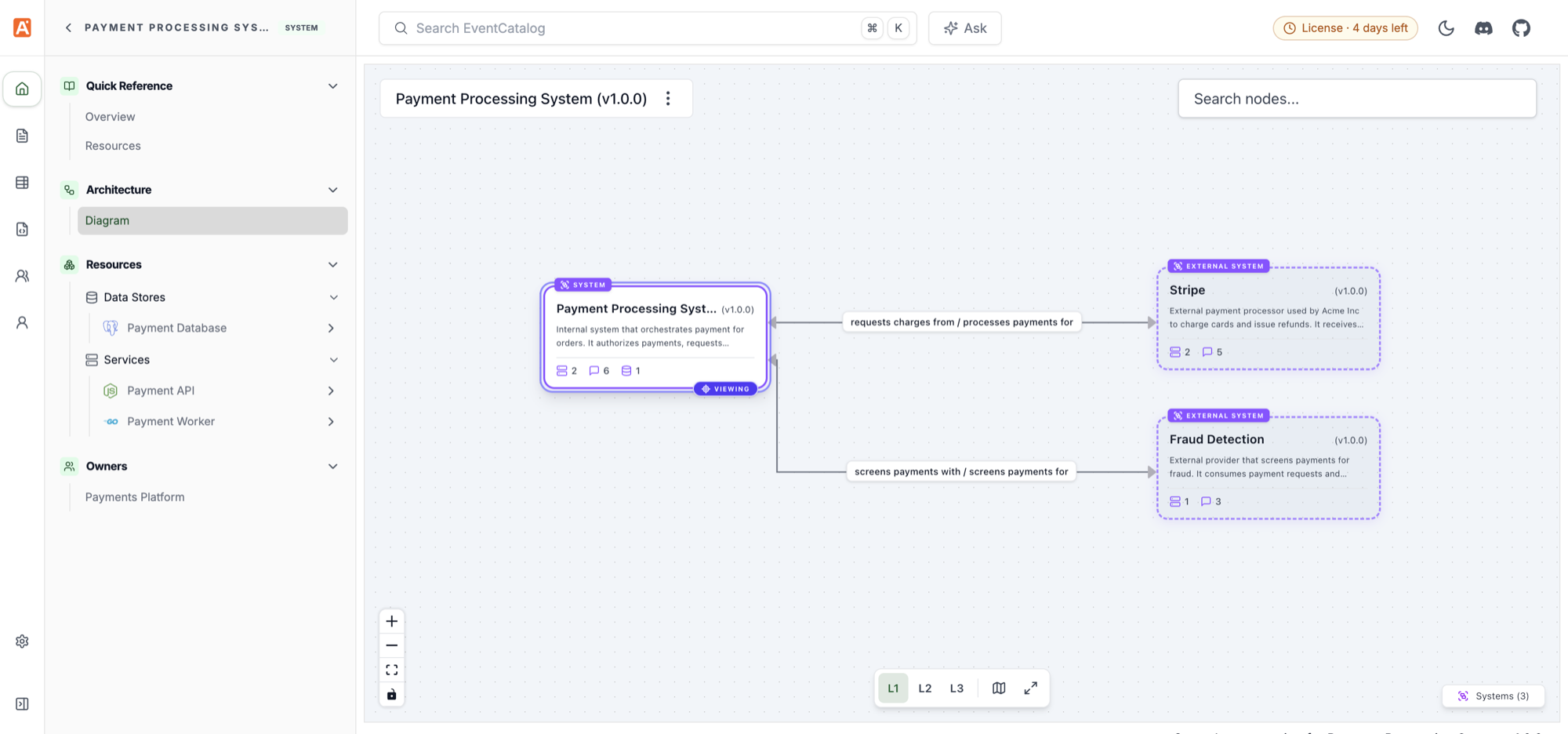
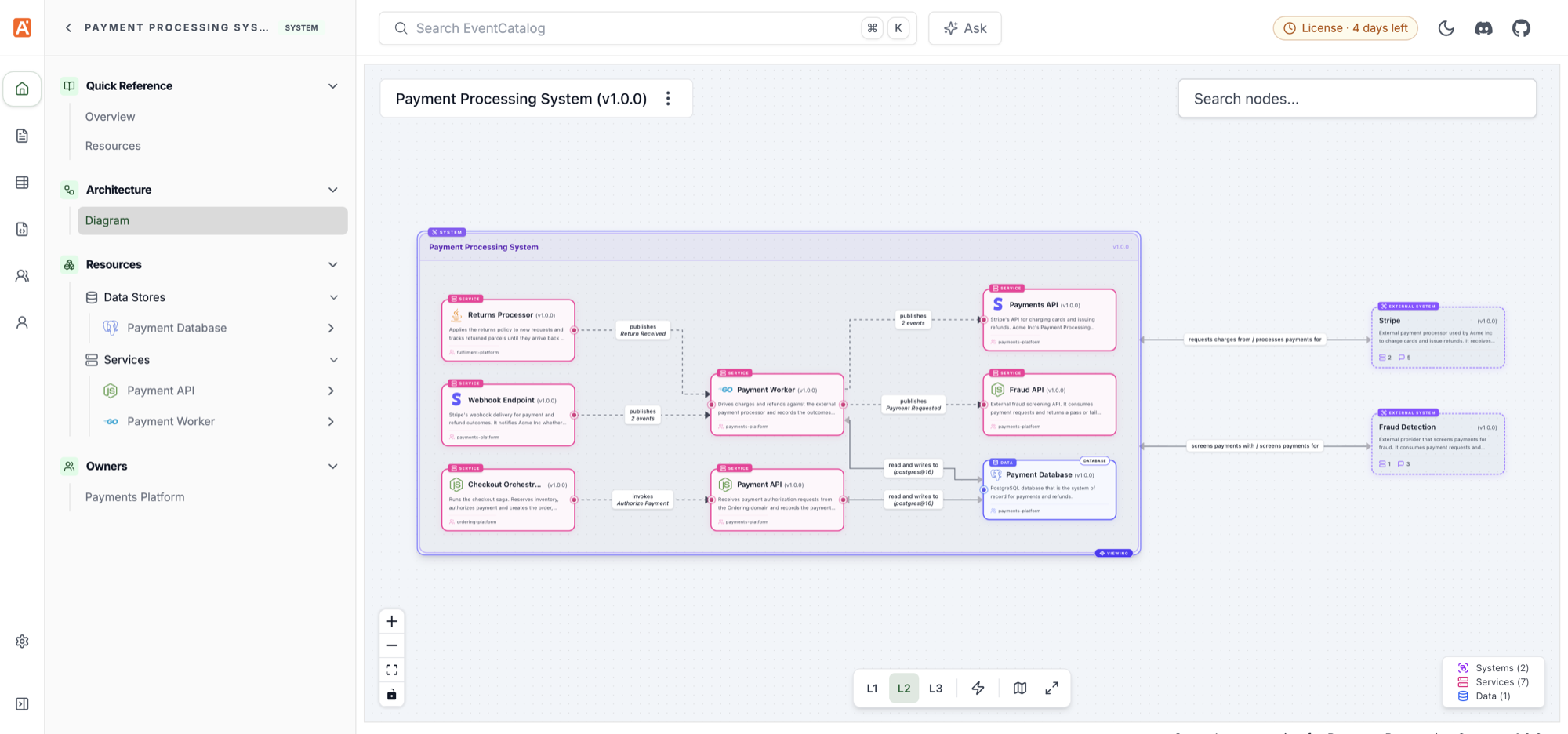
The page opens at level 1. The level is kept in the URL, so a shared link opens at the same level. Use ?level= to open a level directly:
/visualiser/systems/payment-processing-system/1.0.0?level=2
The canvas toolbar and menu also let you simulate messages, hide messages or channels, and hide resource types from the legend. See NodeGraph interactive controls.
The system's Context Diagram and Resource Diagram pages are replaced by the single Diagram page. The old Context Diagram route (/visualiser/systems/{system-id}/{version}/context) redirects to level 1.
Layouts saved in dev mode for a system's context diagram carry over to level 1. Layouts saved for a system's old Resource Diagram don't carry over to levels 2 and 3. Save the layout again if you need it.
High-level to detailed architecture
The goal of systems is to let users move through your architecture at the right level of detail:
- Start with the System Context Diagram to understand the systems and relationships.
- Select a system and open its Diagram at level 1 to see what it depends on.
- Switch to levels 2 and 3 to inspect the services, data stores, messages, and channels inside that system.
This gives teams a path from architecture overview to implementation detail without forcing every user to start at the lowest level.
Want every resource in one graph instead, including catalogs without systems? See the architecture graph.