What is EventCatalog Studio?
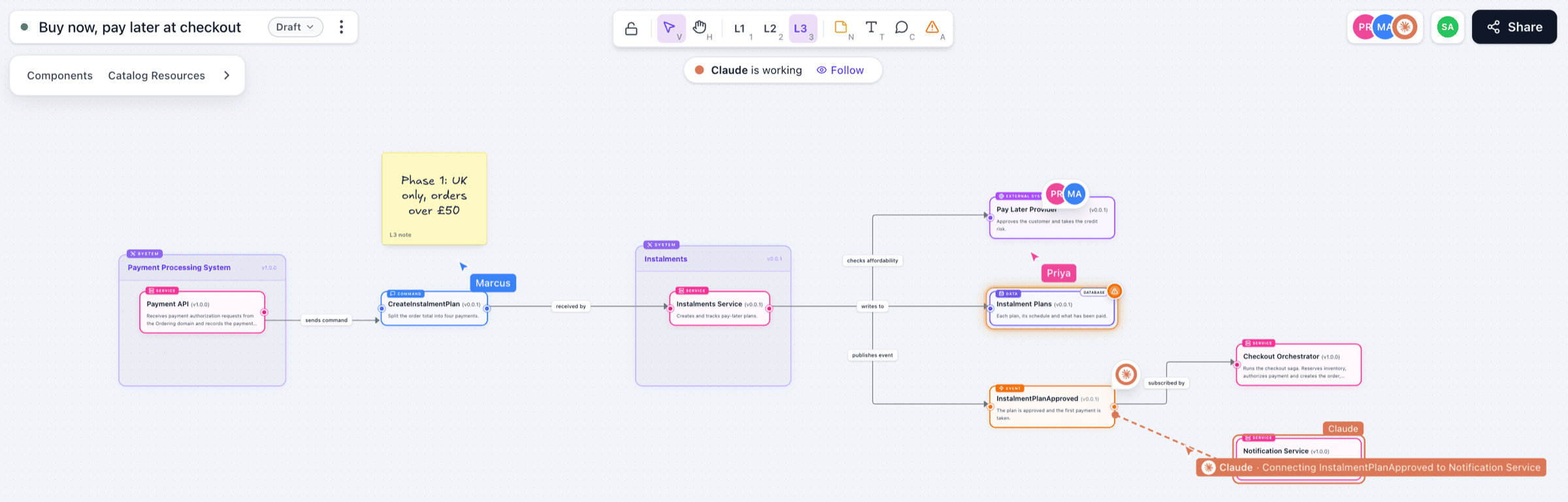
eventcatalog@5.0.0EventCatalog Studio lets your teams design changes to their architecture on live canvases, inside your catalog.
Your catalog documents how your architecture works today. Studio is where you plan what comes next: a new service, a new event, a different way to split a domain. You start from the resources you already document, add the parts that don't exist yet, and work on it together with your team and your AI agents.
Studio is experimental while we shape it with your feedback. Tell us what you think in Discord or on GitHub.
Why use Studio?
Planning conversations often happen outside the catalog, on whiteboards, slides or diagram tools that know nothing about your architecture. Someone redraws the services by hand, and the diagram is out of date before the meeting ends.
With Studio:
- You start from real resources. Drag your domains, systems, services, messages, channels and data stores onto a canvas, with their real names, versions and summaries.
- You sketch what's new next to what exists. Add proposed services, messages and data stores, and connect them to the resources they change.
- Team collaboration. Everyone on a canvas sees each other's pointers and edits, and can comment and flag risks.
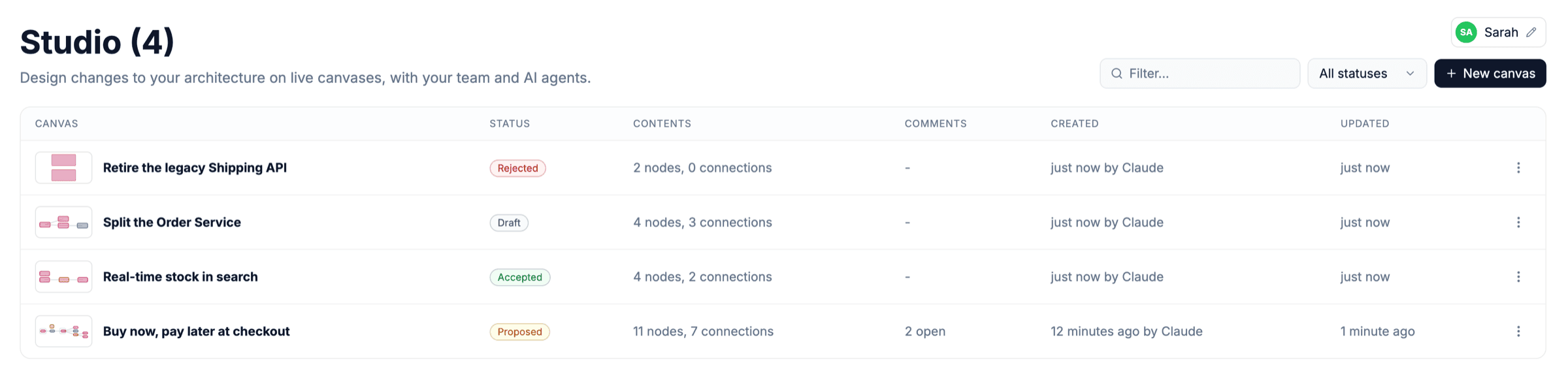
- You record the decision. Mark a canvas as proposed, accepted or rejected, with a note, so you can see later what was decided and why.
- AI works with you. Choose Draw with AI and describe what you want: the assistant draws it on the canvas with the model you configure. Agents such as Claude and Cursor can also connect through the MCP server and edit the same canvas, using the resources in your catalog.
A canvas is a design, kept separately from your catalog files. Adding, editing or deleting anything on a canvas never changes your documentation.
When a design is built, your teams document the changes in the catalog as usual.
How it works
- Open Studio from the sidebar of your catalog. It lists every canvas, with its status and open comments.
- Each canvas has the same three levels as the diagrams in your catalog: L1 for domains and systems, L2 for services and data stores, L3 for everything, including messages and channels.
- Canvases are saved by your EventCatalog, in storage you configure. Nothing is sent to a third party.
Studio is on when you run eventcatalog dev. To use it in a deployed catalog, see Run Studio in production.
Try EventCatalog Studio on the web. It runs in your browser with no sign-up, keeps your design in your browser, and lets you export it to EventCatalog when you're ready.