EventCatalog's MCP server already lets AI tools and agents query your entire architecture. That is useful when you need to understand organization-wide dependencies, but most engineers spend their day working inside a much smaller boundary.
You can now connect an MCP client to a specific domain or system. Your team gets the architecture knowledge it needs, including the connected services, messages, schemas, flows, language, and decisions, without pulling unrelated parts of the catalog into every conversation.
Lots of teams already use C4 to model their architecture, whether that's Structurizr DSL, C4-PlantUML, Mermaid C4, LikeC4, or just markdown architecture docs. If that's you, the good news is you can bring that work straight into EventCatalog.
C4 and EventCatalog complement each other nicely. C4 gives you a clear view of your structure: systems, containers, and how they fit together. EventCatalog adds the event-driven detail on top: the events flowing between services, the schemas, who owns what, and how a business process actually runs. Today I want to show you two ways to connect the two.
Your catalog already knows where your APIs live. It knows which services expose OpenAPI, AsyncAPI, or GraphQL specifications. It knows which domains describe broader API surfaces.
EventCatalog can now turn that knowledge into a standard discovery endpoint at /.well-known/api-catalog.
More teams are moving AI agents from demos into real systems. Agents are reviewing payments, answering support questions, querying internal data, calling MCP servers, creating tickets, summarizing incidents, and producing work that downstream systems depend on.
That changes the architecture. If an agent consumes information, calls tools, writes data, or produces artifacts, it needs to be visible in the same place as the rest of your system.
EventCatalog 3.41.0 adds first-class agent documentation. You can now document agents alongside your domains, services, events, commands, data stores, tools, and flows.
I've been using Claude Code and Cursor every day to work on EventCatalog, and I kept running into the same frustrating thing — the agent would confidently spit out frontmatter that didn't exist, point at folders we'd renamed months ago, or call an API that changed two releases back. I'd read the diff, sigh, and fix it by hand. Every time.
It's not really the agent's fault. It's working from a snapshot of the web that's months (or years) out of date, and EventCatalog moves fast. So I kept asking myself: why are we making agents guess what our API looks like when the answer is already sitting in node_modules?
That's what shipped in 3.35.1. The full EventCatalog docs are now bundled inside the npm package, version-matched to whatever you have installed. No more guessing. No more stale snippets. The agent reads the same docs you do.
EventCatalog 3.33.0 ships two new MDX components: <Prompt /> and <Visibility>. <Prompt /> lets you embed copyable AI prompts directly in resource docs, with one-click copy to clipboard or open in Cursor. <Visibility> lets you gate content by audience in the same file. Humans see one block in the UI, AI agents see another in the raw markdown.
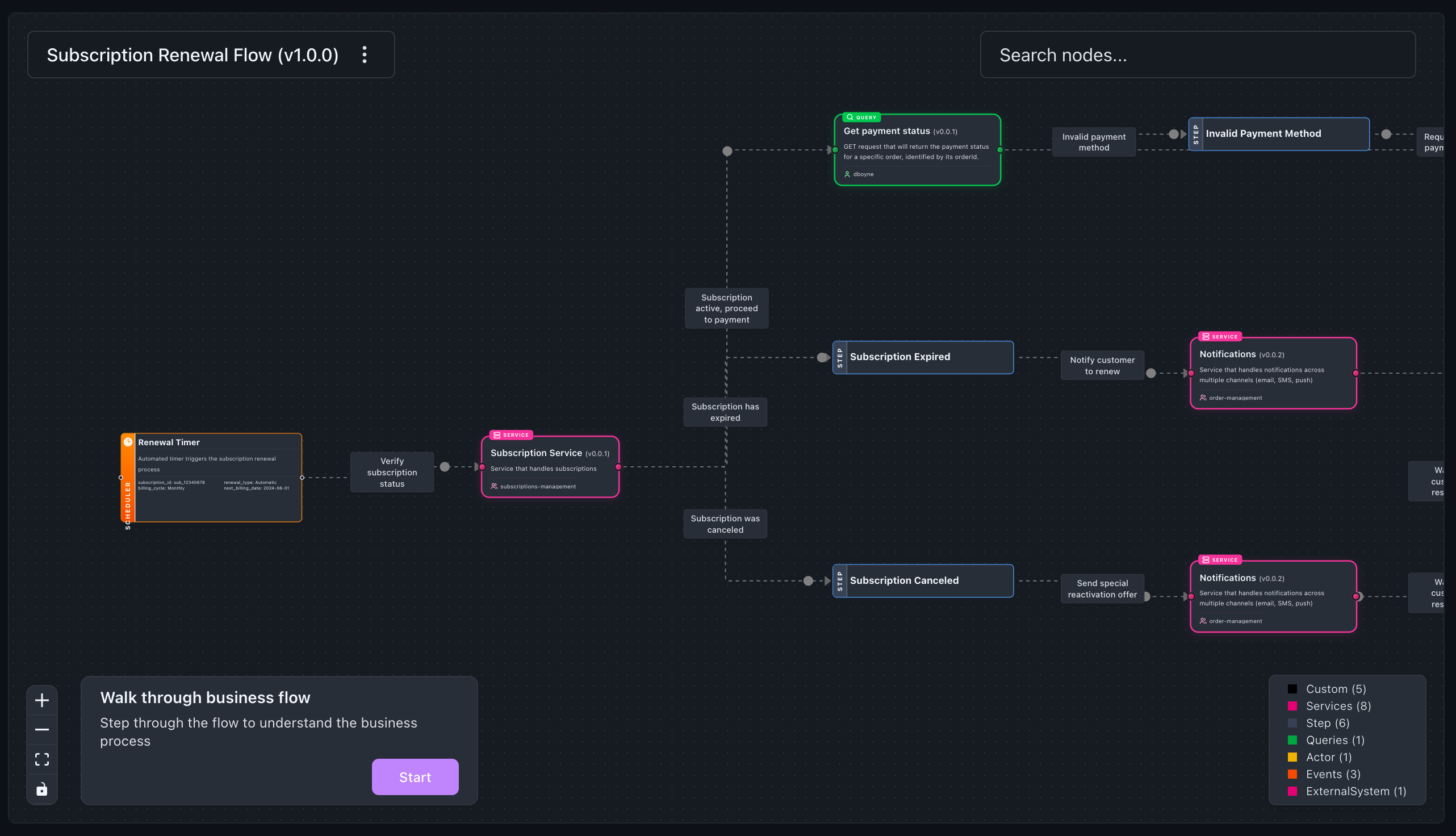
Flows are one of the most popular resources documented in EventCatalog. They let you document end-to-end business workflows in your architecture, giving you and your team the bigger picture of how everything connects together.
Today, creating a flow means writing a YAML file by hand. We wanted to make that easier. The new flow-wizard skill lets you describe your workflow in plain language, and your AI agent builds the flow for you.
Your teams can now ask EventCatalog about your architecture, events, services, and schemas directly in Slack.
You know the pattern. Someone on your team needs to know which services consume the OrderCreated event. They check the wiki. Not there. They search Confluence. Wrong version. They ping three different people in Slack asking if anyone knows.
I'm excited to share that we've improved and simplified our MCP server for EventCatalog.
Previously, to use EventCatalogs MCP server you had to install and run the standalone @eventcatalog/mcp-server package separately, the previous MCP server would use the llms.txt file to provide context to the LLM. Although this worked, it was not the most efficient way to use EventCatalog with MCP clients...
We have reviewed the MCP server and made it much more efficient and easier to use.
Every EventCatalog instance now includes a built-in MCP server at /docs/mcp/ and now uses more performant ways to provide your models with the information they need.
This means you can connect your preferred MCP clients directly to your EventCatalog instance and start asking questions about your architecture in natural language.
EventCatalog is documentation for both humans and AI. Your teams browse the catalog to understand services, events, and domains. Your AI tools can now do the same.
The MCP server gives LLMs and MCP clients (Claude Desktop, Cursor, Windsurf, VS Code) direct access to your architecture documentation. Ask questions about message schemas, trace service dependencies, or analyze change impact.
The AI works with the same source of truth your team uses.
This is the best of both worlds. Humans get a visual catalog they can browse and search. AI gets structured access to query, filter, and reason about your architecture. Both stay in sync because they read from the same place.
The standalone @eventcatalog/mcp-server package still works, but we plan to deprecate it in a future release. The built-in server is faster, uses less context, and requires no external setup. We recommend migrating to the built-in MCP server when possible.
The built-in MCP server simplifies deployment by eliminating external server management. It provides faster queries through direct content collection access and supports custom tools for domain-specific integrations.
EventCatalog already gives you auto-generated visualizations: Entity Maps, Interaction Maps, and domain views that update as your catalog changes. These are great for understanding relationships between your resources.
But sometimes you need your own diagrams. Target architecture plans. Event storming results. Sequence flows from Miro. C4 diagrams from IcePanel. The stuff that lives in scattered boards, Confluence pages, or that folder someone created two years ago.
EventCatalog 3.3.0 lets you bring those diagrams to your documentation.
Your custom diagrams are now first-class, versioned resources in your catalog. Bring them in from any tool, version them, link them to your domains and services, and even ask AI about them.
I'm excited to announce Custom Tools for EventCatalog Assistant, allowing you to extend the AI with your own integrations and bring real-time data directly into your architecture conversations.
Your documentation is valuable, but it only tells part of the story. With custom tools, you can now ask EventCatalog questions like "Is OrderService healthy?" or "Who's on-call for PaymentService?" and get answers based on live data from your production systems.
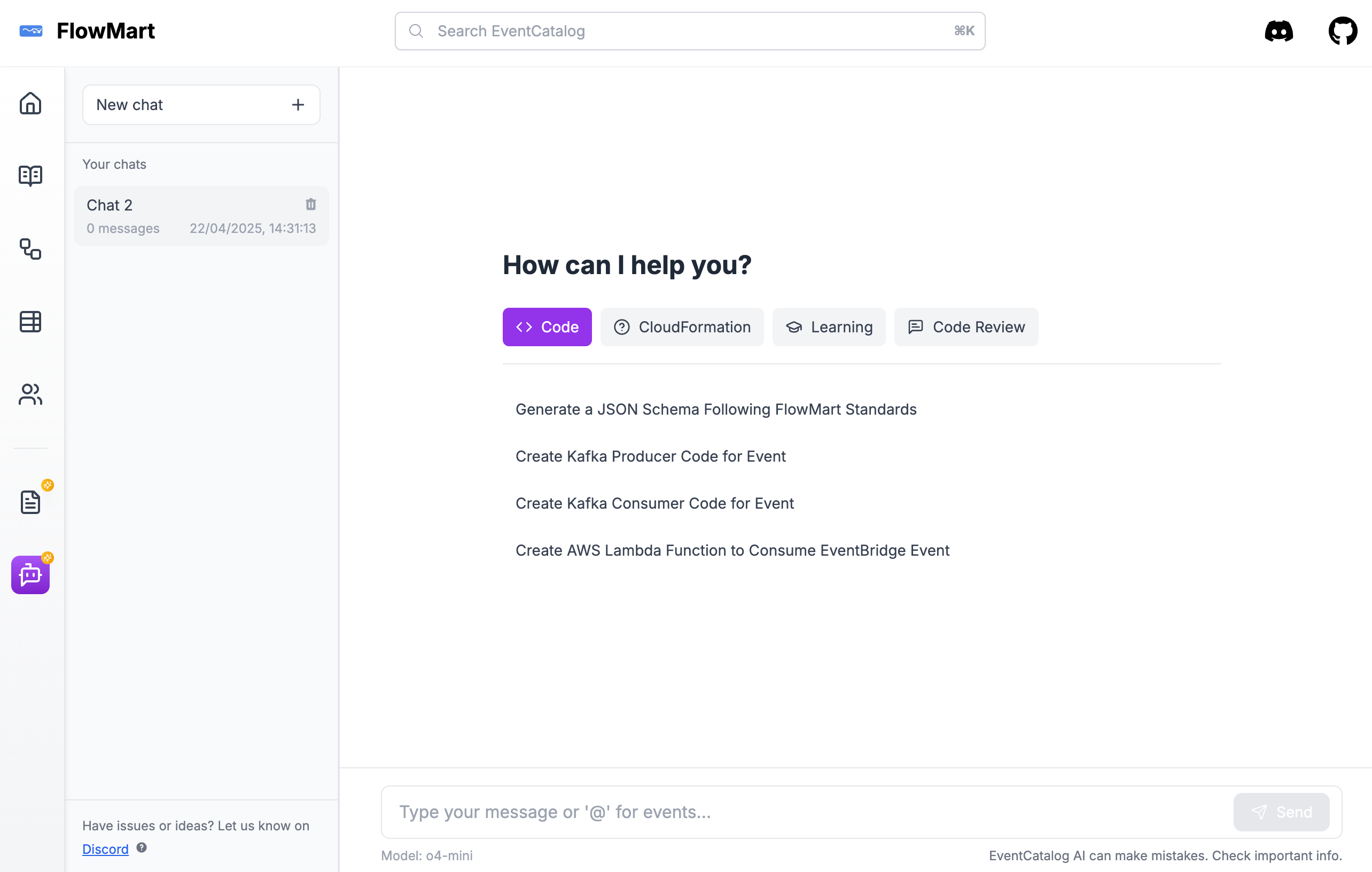
EventCatalog Chat transforms how your team interacts with your event-driven architecture. Instead of digging through documentation or tracking down who produces what, you can simply ask. Want to know what events exist, how schemas are structured, or who’s publishing and consuming them? Just chat with your catalog and get instant answers—saving you time and effort.
EventCatalog Chat can also generate code on the fly and supports custom prompts, allowing you to define reusable queries aligned with your organization's best practices and governance standards. Whether it's architecture insights or scaffolding code, your team can move faster with AI-powered support built right into your catalog.
Previously, EventCatalog Chat relied solely on browser-based models—open-source models that ran entirely within the browser environment. While this offered a lightweight and privacy-conscious option, we heard your feedback loud and clear. Now, we’re excited to introduce support for bringing your own OpenAI models to EventCatalog, unlocking even more powerful capabilities for exploring and understanding your architecture.
We're introducing a powerful new concept in EventCatalog Chat: Bring Your Own Prompts.
This feature allows teams and organizations to define custom prompts tailored to their own standards, best practices, and workflows. With predefined prompts, you can guide how EventCatalog Chat responds—ensuring consistency, compliance, and faster results across your team.
Here are a few examples of what you can do:
"Generate a JSON schema Following FlowwMart Standards" (see example)
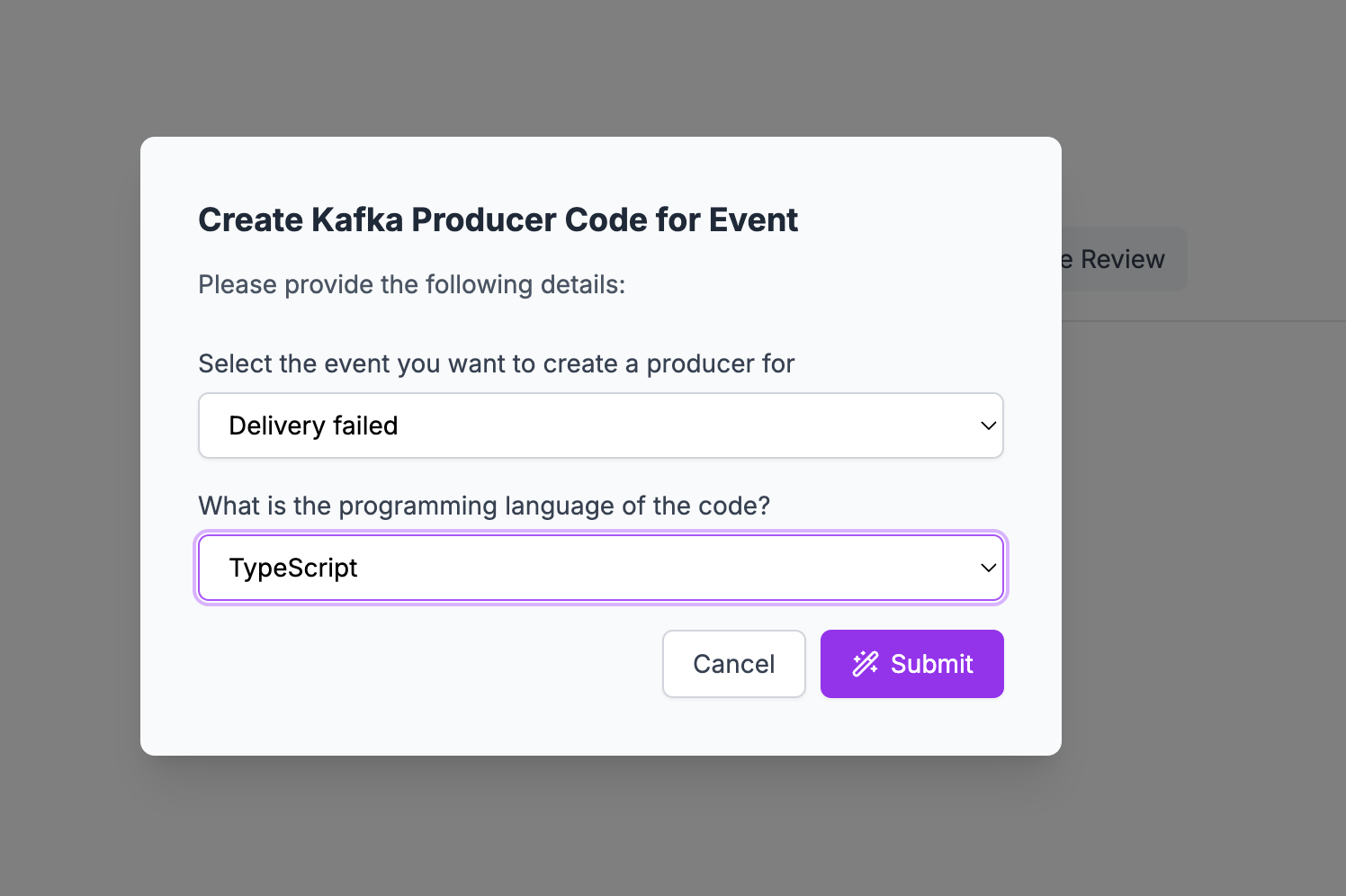
"Create a Kafka producer code for event" (see example)
"Create Kafka consumer code for event" (see example)
"Create AWS Lambda function to Consume EventBridge Event" (see example)
With BYO Prompts, your event-driven architecture just got a whole lot smarter—and more tailored to you.
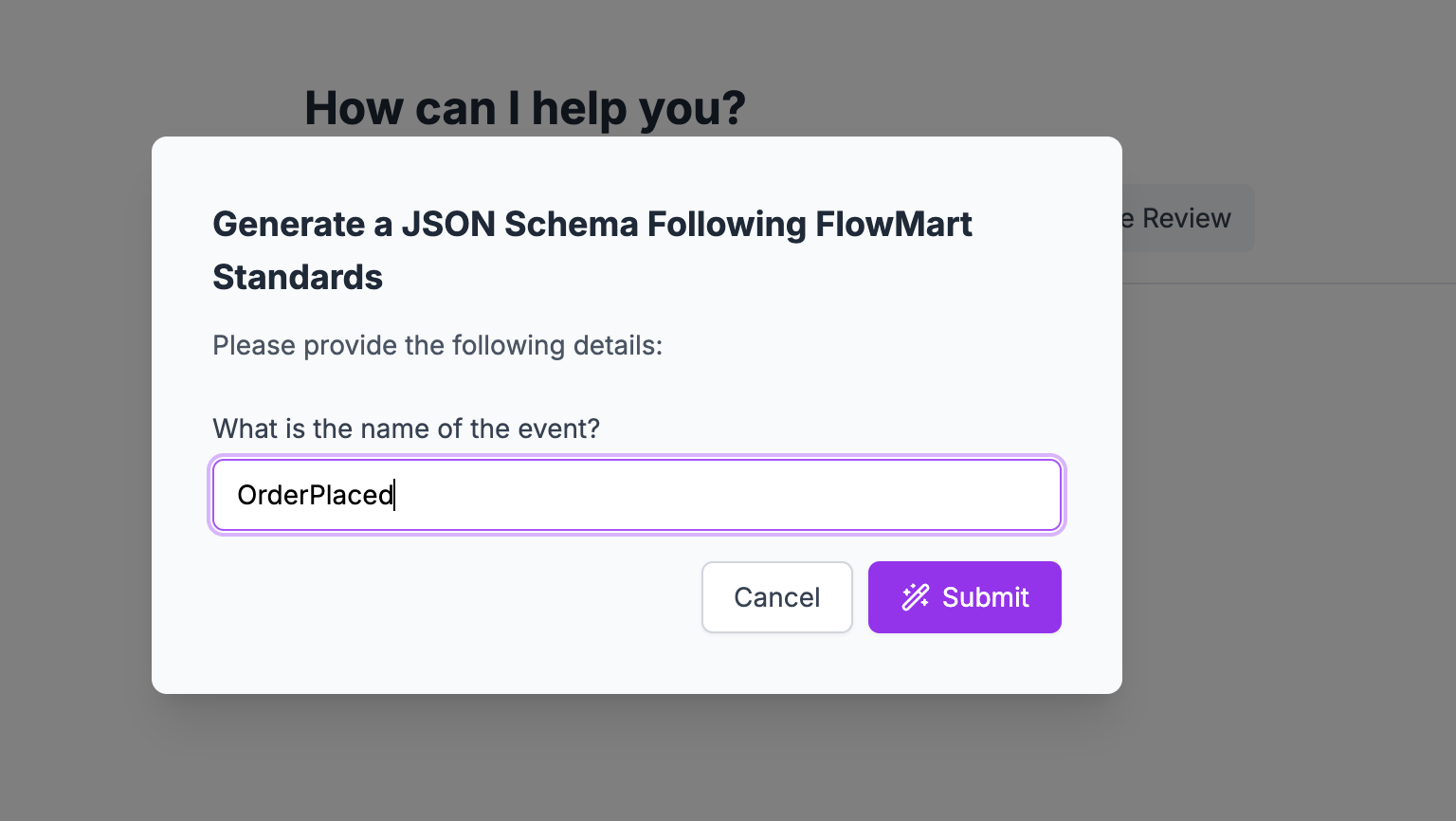
You can also make your prompts dynamic, allowing EventCatalog Chat to ask users for input before sending the prompt to your OpenAI model.
For example, if you want to generate a JSON schema that follows your company’s best practices, you can first prompt the user to enter the event name they’re working with. This adds flexibility and interactivity to your custom prompts—making them more useful across different teams and scenarios.
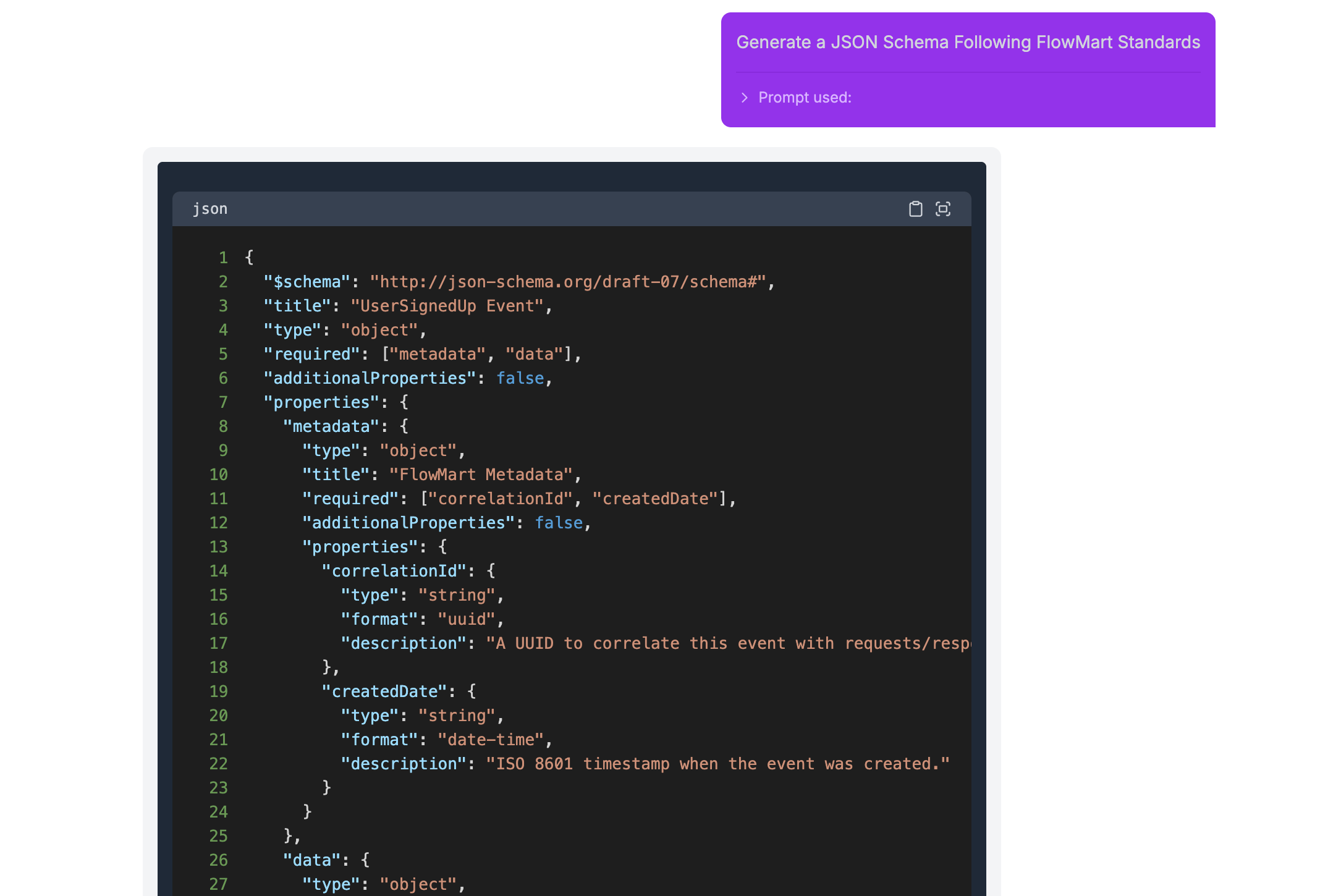
When the user submits the form, the AI model uses their input to generate a JSON schema—fully aligned with the standards and conventions your company defines. This ensures consistency while saving your team valuable time on repetitive tasks.
Custom prompts can also capture multiple inputs, making them even more powerful.
For instance, you can prompt users to select an event from a generated list based on your catalog, and choose a programming language from a predefined list. This gives your team a flexible and guided way to generate highly specific outputs—like language-specific producer or consumer code for a particular event.
The prompt is then sent to your OpenAI model, which generates the code based on the inputs provided. In the example above, a TypeScript Kafka producer is generated using the Delivery Failed event as the foundation—automatically tailored to your architecture and development standards.
We’re just getting started. Up next, we’re working on expanding model support in EventCatalog—including the ability to configure additional providers like Anthropic, giving you more flexibility and choice in how you power your architecture insights.
We’re also building features that let you ask questions directly within your documentation pages, so teams can get instant, contextual answers while exploring or working on your event-driven systems—saving even more time and reducing friction.
Have questions or feedback? Join us on Discord—we’d love to hear from you.