Create a service
In this step, you will add your first service to the catalog.
A service is a system, application, or process that owns part of your architecture. Later in the tutorial, this service will send and receive events. For now, you only need a simple service page that gives people a place to start.
In this chapter...
Here are the topics we'll cover
- Create the folder structure for OrderService.
- Add an index.mdx file with the service metadata.
- Refresh EventCatalog and find the service in the browser.
Create the service folder
From the root of your catalog, create a new folder for the service:
mkdir -p services/OrderService
EventCatalog looks inside the services folder for service pages. Each service has its own folder and an index.mdx file.
Add the service page
Create a new file at services/OrderService/index.mdx:
---
id: OrderService
name: Order Service
version: 0.0.1
summary: |
  Handles customer orders from checkout through to fulfilment.
---

## Overview

The Order Service is responsible for creating and managing customer orders.

In this tutorial, you will use this service to learn how EventCatalog connects services, domains, events, schemas, and ownership.
Keep the content small for now. The important part is the frontmatter at the top of the file:
idis the stable identifier EventCatalog uses for links and references.nameis the label people see in the UI.versionis the version of this service.summaryappears in service lists and page headers.
Check the service in EventCatalog
If your catalog is still running, refresh your browser.
If it is not running, start it again:
npm run dev
Open the local EventCatalog URL shown in your terminal. You should now see the Order Service in your catalog at http://localhost:3000/docs/services/OrderService/0.0.1.
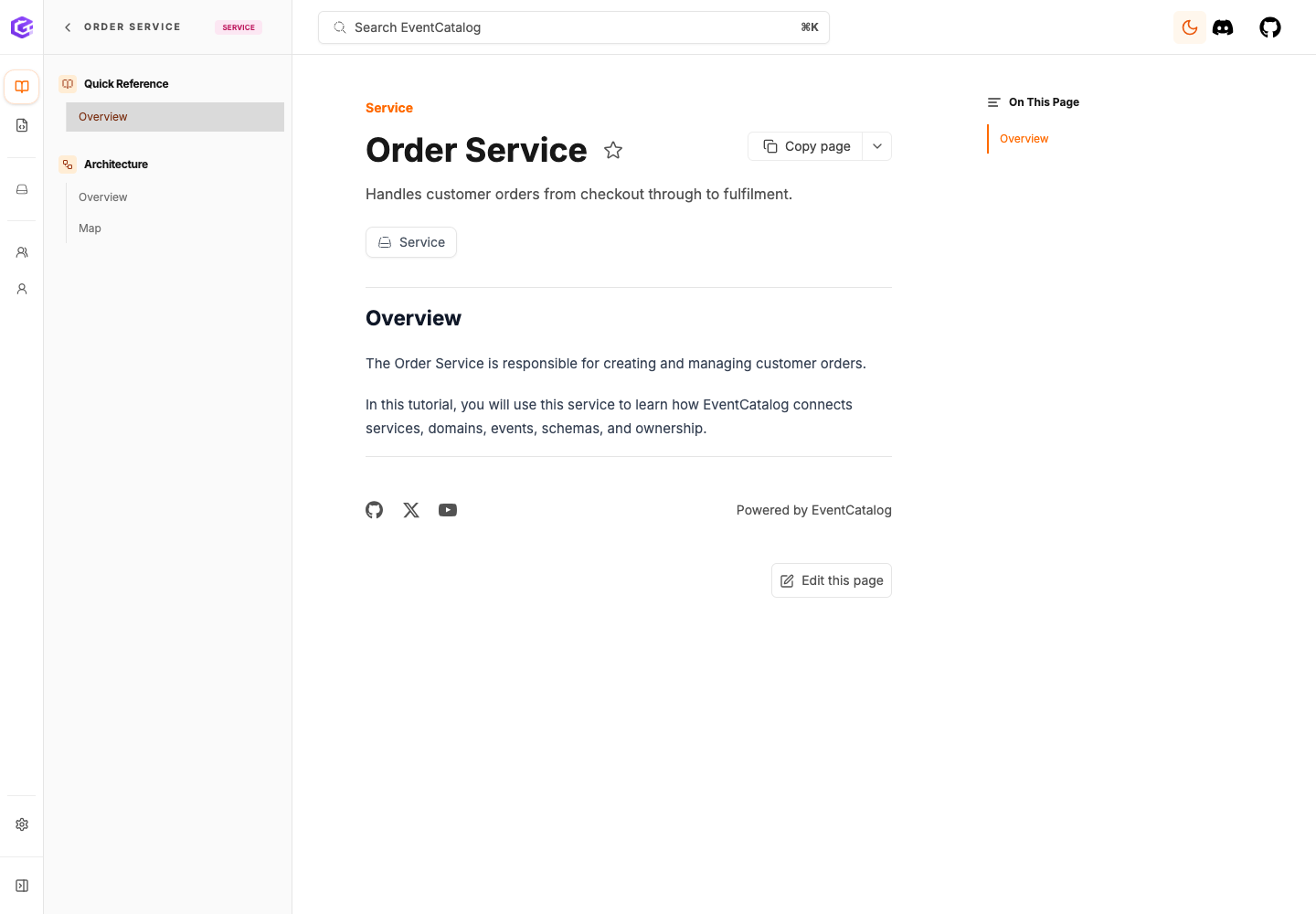
What you have now
Your catalog now has one documented service:
services/OrderService/index.mdx
This is the first building block. Next, you will group your architecture around a domain.
Next
Continue to Create an event.