Consume the event from a service
In this step, you will create InventoryService and connect it to the OrderPlaced event.
In EventCatalog, a service consumes an event by listing it under receives.
In this chapter...
Here are the topics we'll cover
- Create the InventoryService page.
- Add OrderPlaced to the receives list.
- Refresh EventCatalog and inspect the full relationship.
Create the service folder
From the root of your catalog, create a new folder for the service:
mkdir -p services/InventoryService
Add the service page
Create a new file at services/InventoryService/index.mdx and add receives to the frontmatter:
---
id: InventoryService
name: Inventory Service
version: 0.0.1
summary: |
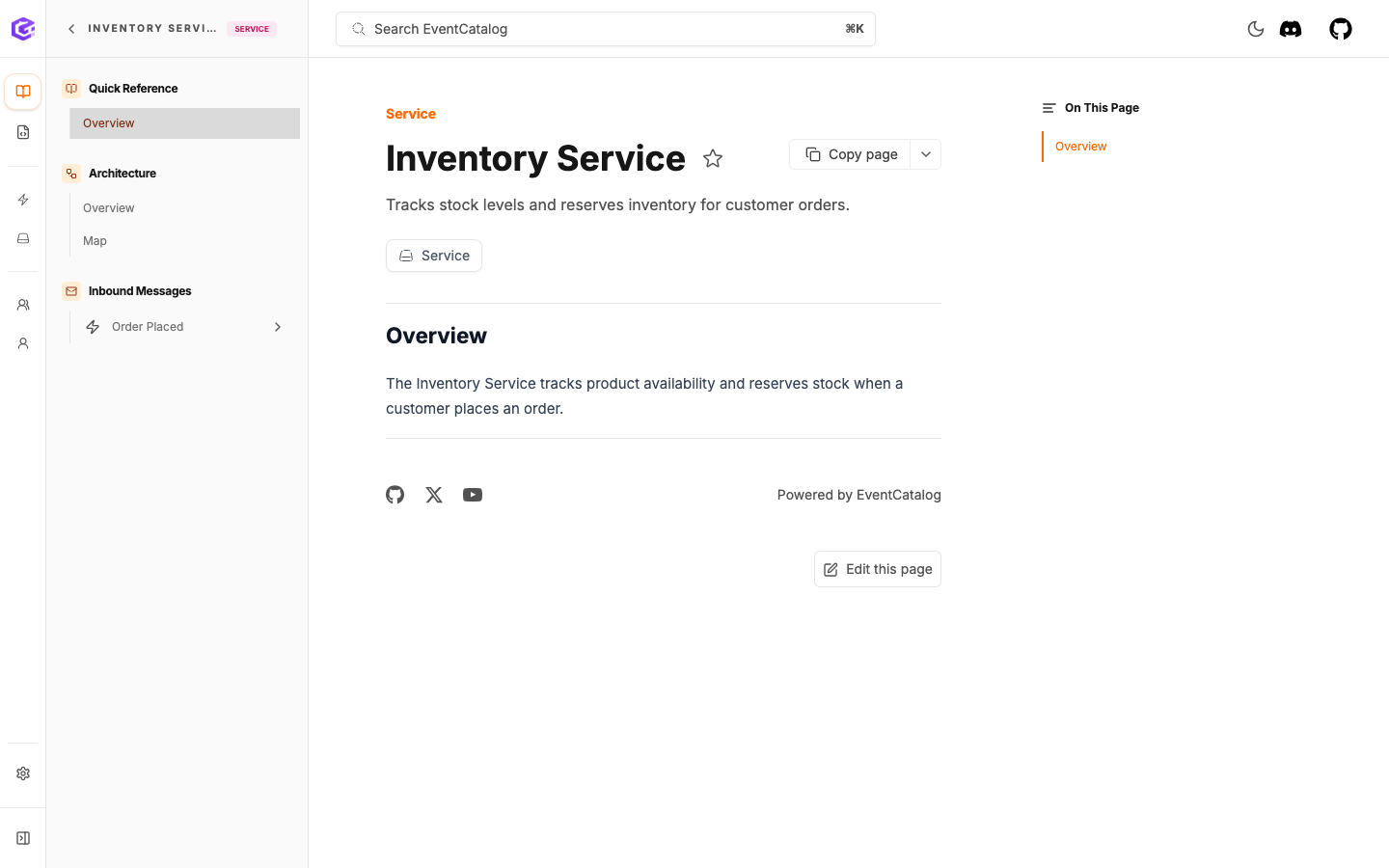
  Tracks stock levels and reserves inventory for customer orders.
receives:
  - id: OrderPlaced
    version: 0.0.1
---

## Overview

The inventory service tracks product avaliability and reservces stock when a customer places an order.
Keep the markdown content below the frontmatter as it is.
The frontmatter follows the same shape as OrderService:
idis the stable identifier EventCatalog uses for links and references.nameis the label people see in the UI.versionis the version of this service.summaryappears in service lists and page headers.receiveslists the events this service consumes.
The version field inside receives is optional. If you leave it out, EventCatalog will use the latest version of the event.
Check the service in EventCatalog
Refresh EventCatalog in your browser. You should now be able to find InventoryService in your catalog.
Check the relationship
Refresh EventCatalog in your browser and open the OrderPlaced event page.
You should now be able to see both sides of the event:
OrderServicepublishesOrderPlaced.InventoryServiceconsumesOrderPlaced.
Open the Map view from the event page to see the relationship visually.
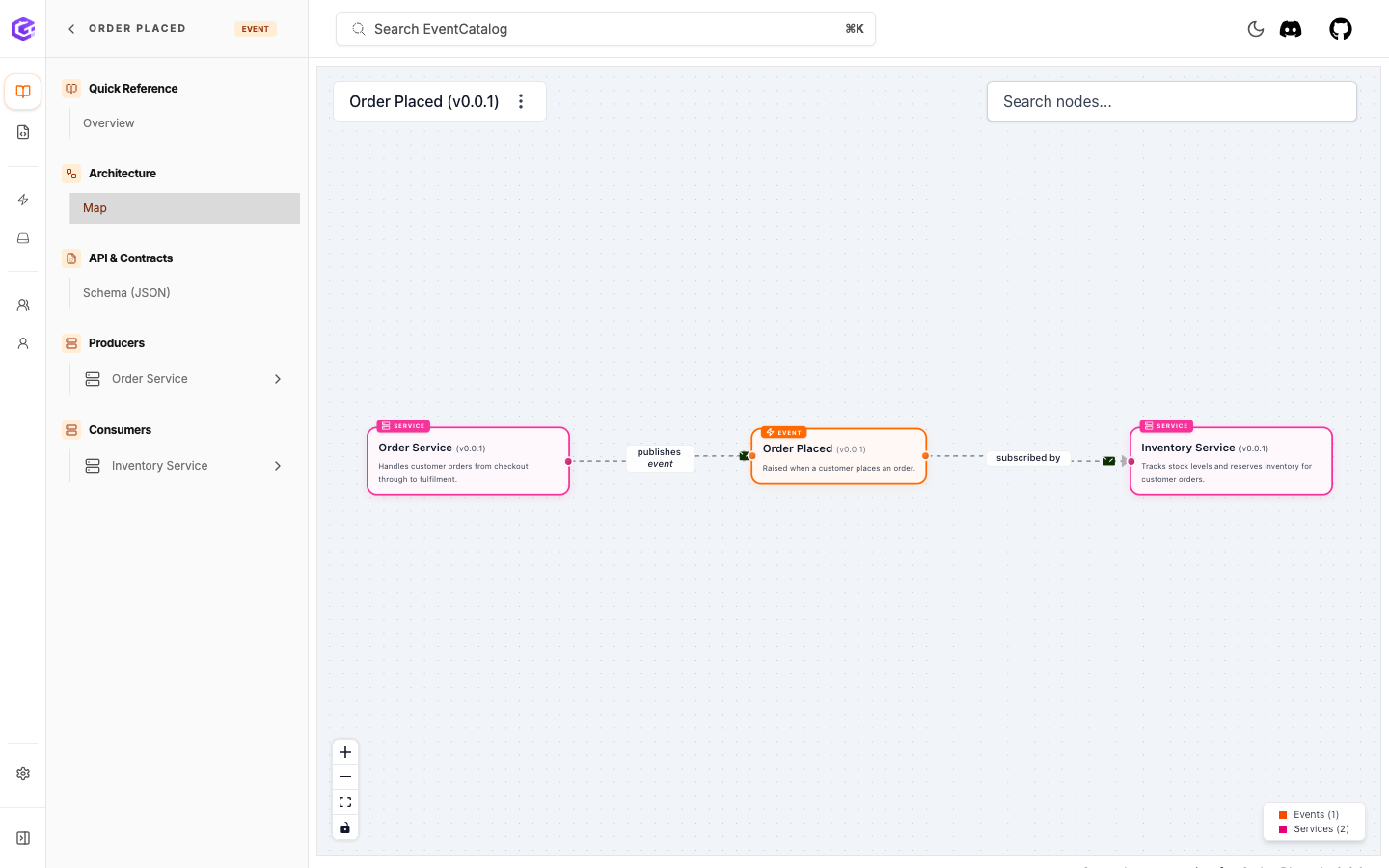
You can embed the same kind of visualization directly into a documentation page with the NodeGraph component:
<NodeGraph />
When used on a service or event page, NodeGraph renders the graph for the current resource.
What you have now
Your catalog now knows:
OrderPlacedis an event.OrderPlacedhas a schema.OrderServicepublishesOrderPlaced.InventoryServiceconsumesOrderPlaced.
This is the first complete event relationship in the tutorial catalog.
Next
Continue to Add ownership.