Revert local editor changes
Use revert when you want to discard local edits before committing them.
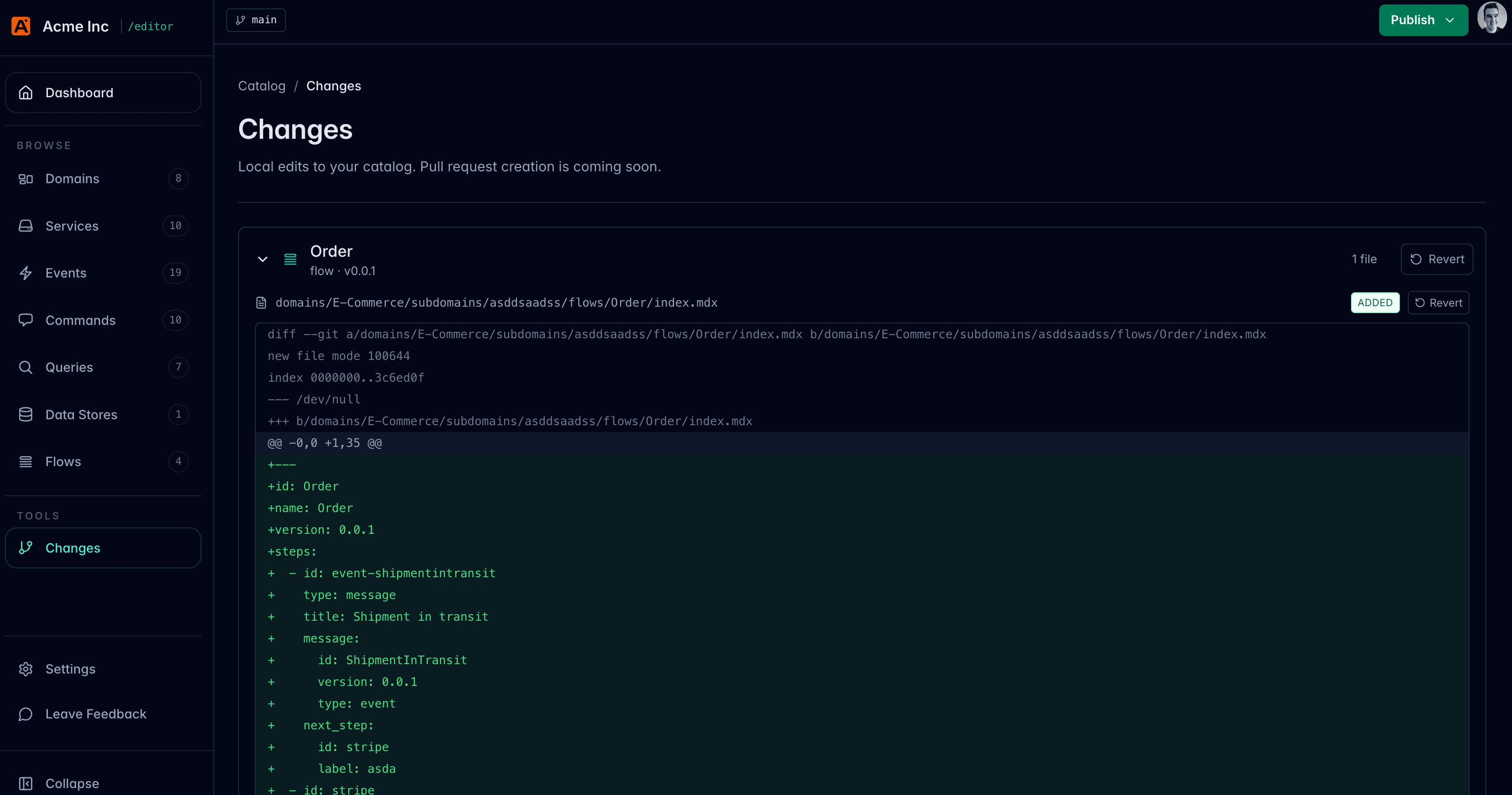
Open the Changes page
Choose Changes from the editor navigation.
The editor shows modified, added, deleted, renamed, and untracked files when Git change tracking is available.
Revert one file
Open a changed file and choose Revert.
The editor asks for confirmation before it discards the local file change.
Revert a resource group
If a resource has multiple changed files, you can revert the group from the Changes page.
For example, reverting a message resource might discard changes to both:
index.mdxschema.json
What revert does
Revert restores modified and deleted files from Git.
Untracked files are removed from disk.
Revert cannot be undone by the editor
Only revert files when you are sure you do not need the local edits. If you are unsure, inspect the diff first or commit the work to a temporary branch.