Add schemas and specifications
Use schemas and specifications to keep implementation contracts close to the architecture resources they describe.
Add a schema to a message
Schemas are supported on:
Open the message resource, then use the Schema section to add or edit the schema file.
Supported schema formats include:
- JSON Schema
- Avro
- Protobuf
- Other text-based schema files
When you save a schema, the editor writes the schema file into the resource folder and updates the resource metadata so EventCatalog can render it.
If the schema editor does not expose the exact change you need yet, use source mode or edit the schema file directly.
Add a specification to a domain or service
Specifications are supported on:
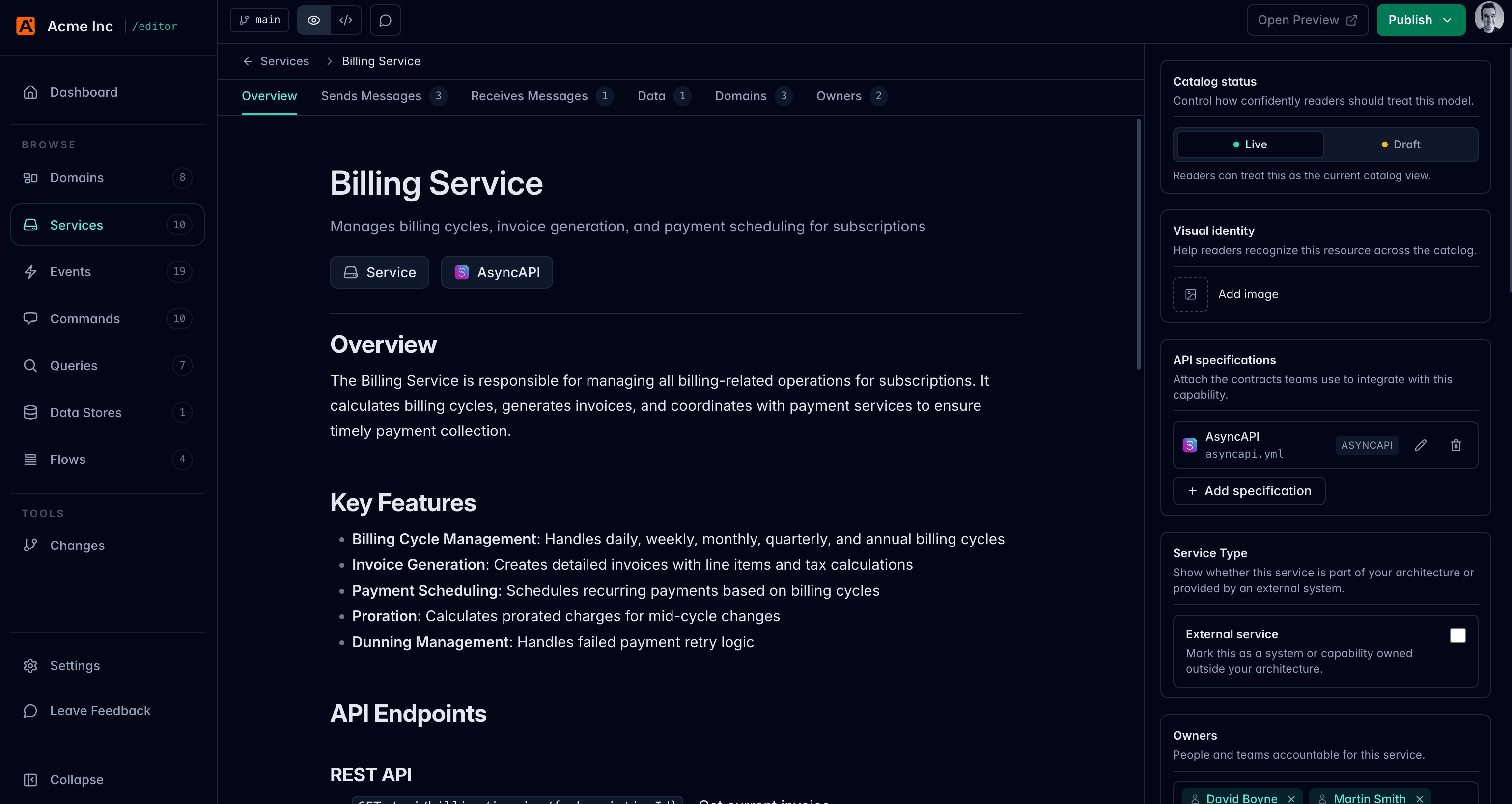
Open the domain or service, then use the specifications area to add:
- OpenAPI
- AsyncAPI
- GraphQL
The editor writes the specification file into the resource folder and updates the resource specifications metadata.
Preview schema and specification changes
Start EventCatalog locally with:
npm run dev
Then use Open Preview in the editor to check how the schema or specification renders in the catalog.
When to use source mode
Use source mode when you need to:
- Adjust a custom
SchemaViewercomponent - Add custom MDX around a schema
- Edit specification metadata the visual form does not expose yet
For more on schema documentation in EventCatalog, see the schema documentation guides.