Using diagrams with LLMs
eventcatalog@3.3.0EventCatalog makes your diagrams accessible to AI assistants and LLM tools, enabling you to ask questions about your architecture and get contextual answers.
How it works
Every diagram in EventCatalog is available as a markdown file at a .mdx endpoint. This follows the llms.txt convention, making your diagrams consumable by AI tools.
# Diagram page (rendered)
/diagrams/system-overview/1.0.0

# Markdown version (for LLMs)
/diagrams/system-overview/1.0.0.mdx
The markdown export includes:
- Frontmatter (id, name, version, summary)
- All diagram content (Mermaid, PlantUML, markdown)
- Any documentation you've added
Using with EventCatalog Assistant
With EventCatalog's AI assistant (Starter/Scale), you can ask questions about your diagrams directly from the diagram page.
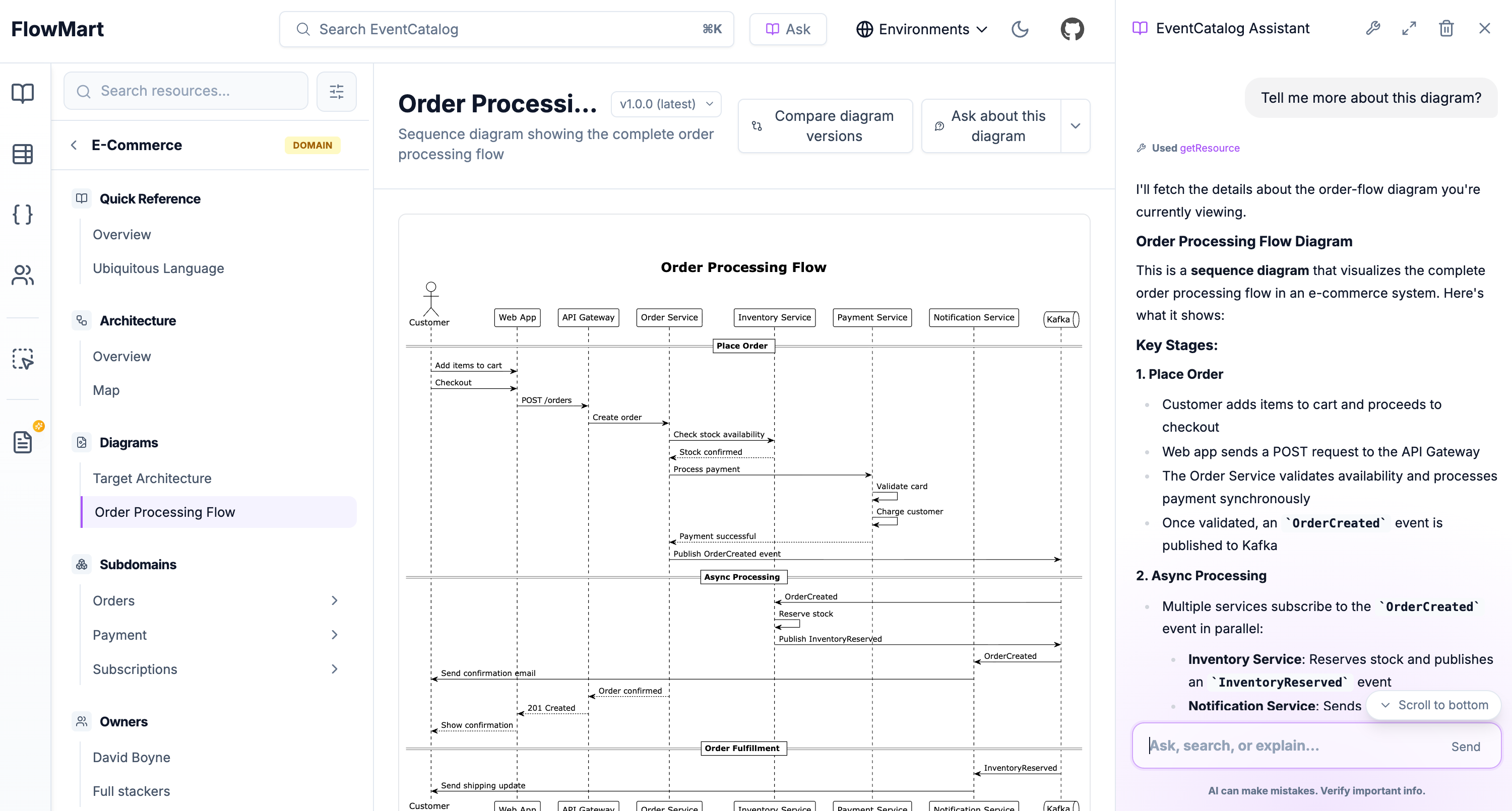
Click the "Ask about this diagram" button to open the assistant with context about the current diagram. Example questions:
- "What services are shown in this diagram?"
- "Explain the flow between OrderService and PaymentService"
- "What would happen if the Kafka cluster went down?"
- "How does this compare to the previous version?"
Using with external LLM tools
You can use the .mdx endpoints with any LLM tool that supports fetching content:
Claude, ChatGPT, or other assistants
Share the .mdx URL directly:
Here's my system architecture diagram:
https://your-catalog.com/diagrams/system-overview/1.0.0.mdx

Can you explain the data flow?
MCP servers
If you're using EventCatalog's MCP server, your diagrams are automatically available to compatible AI tools like Claude Desktop.
Custom integrations
Fetch diagram content programmatically:
curl https://your-catalog.com/diagrams/system-overview/1.0.0.mdx
All versions are accessible
Every version of your diagram has its own .mdx endpoint:
/diagrams/architecture/2.0.0.mdx  # Latest
/diagrams/architecture/1.5.0.mdx  # Previous
/diagrams/architecture/1.0.0.mdx  # Initial
This lets you ask AI tools to compare versions or explain how your architecture evolved:
Compare these two versions of our architecture:
- Current: https://catalog.com/diagrams/architecture/1.0.0.mdx
- Target: https://catalog.com/diagrams/architecture/2.0.0.mdx

What are the main differences?
Tips for LLM-friendly diagrams
To get the most out of AI interactions with your diagrams:
Add context in markdown
Don't just include the diagram - add explanations:
## System Overview

This diagram shows our order processing architecture.

### Key Components

- **OrderService**: Handles order creation and lifecycle
- **PaymentService**: Processes payments via Stripe
- **Kafka**: Event backbone for async communication

### Important Notes

- All services are deployed to Kubernetes
- Database connections use connection pooling
- Events are retained for 7 days

\`\`\`mermaid
graph TB
    ...
\`\`\`
Use descriptive labels
In your diagrams, use clear, descriptive names:
# Good - descriptive labels
OrderService[Order Service]
PaymentDB[(Payments Database)]

# Avoid - cryptic abbreviations
OS[OS]
PDB[(PDB)]
Document relationships
Explain why components connect, not just that they do:
The Order Service publishes `OrderCreated` events to Kafka.
The Payment Service subscribes to these events to initiate payment processing.
This decoupled design allows independent scaling and deployment.
Enabling markdown export
Markdown export is enabled by default. To disable it, update your eventcatalog.config.js:
export default {
  // ...
  llmsTxt: {
    enabled: false
  }
}
When enabled, all resources (including diagrams) are accessible via .mdx endpoints.