Miro
By EventCatalog
Bring your EventCatalog architecture into Miro to collaboratively design, model, and plan what comes next.
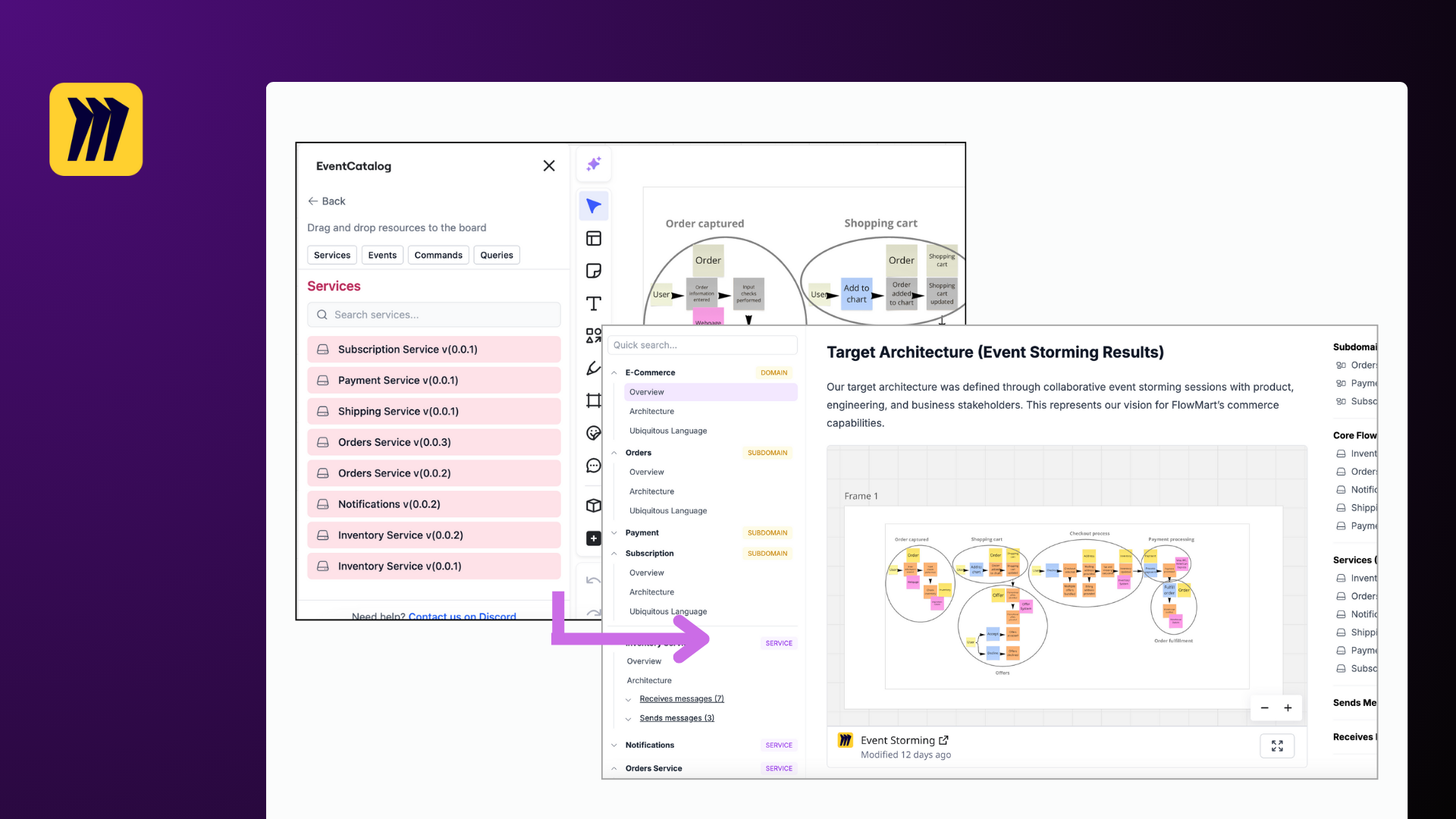
Overview
The EventCatalog Miro App brings your documented architecture into Miro — drag services, events, commands, and more onto a board to collaboratively design and explore your systems.
Many teams already use Miro for event storming, system design, and planning. This app lets you work with your real architecture artifacts instead of generic boxes and lines.
- Import your real architecture — bring services, events, commands, queries, channels, and data stores from EventCatalog into Miro
- Design collaboratively — drag resources onto the board, draw connections, and model your next iteration as a team
- Create new resources — sketch out new services and events directly in the app before they exist in code
- Export back to your catalog — export the board and use AI skills to update your EventCatalog project automatically
How it works
- Export your catalog from your EventCatalog project using
npm run export - Import the JSON into the Miro App
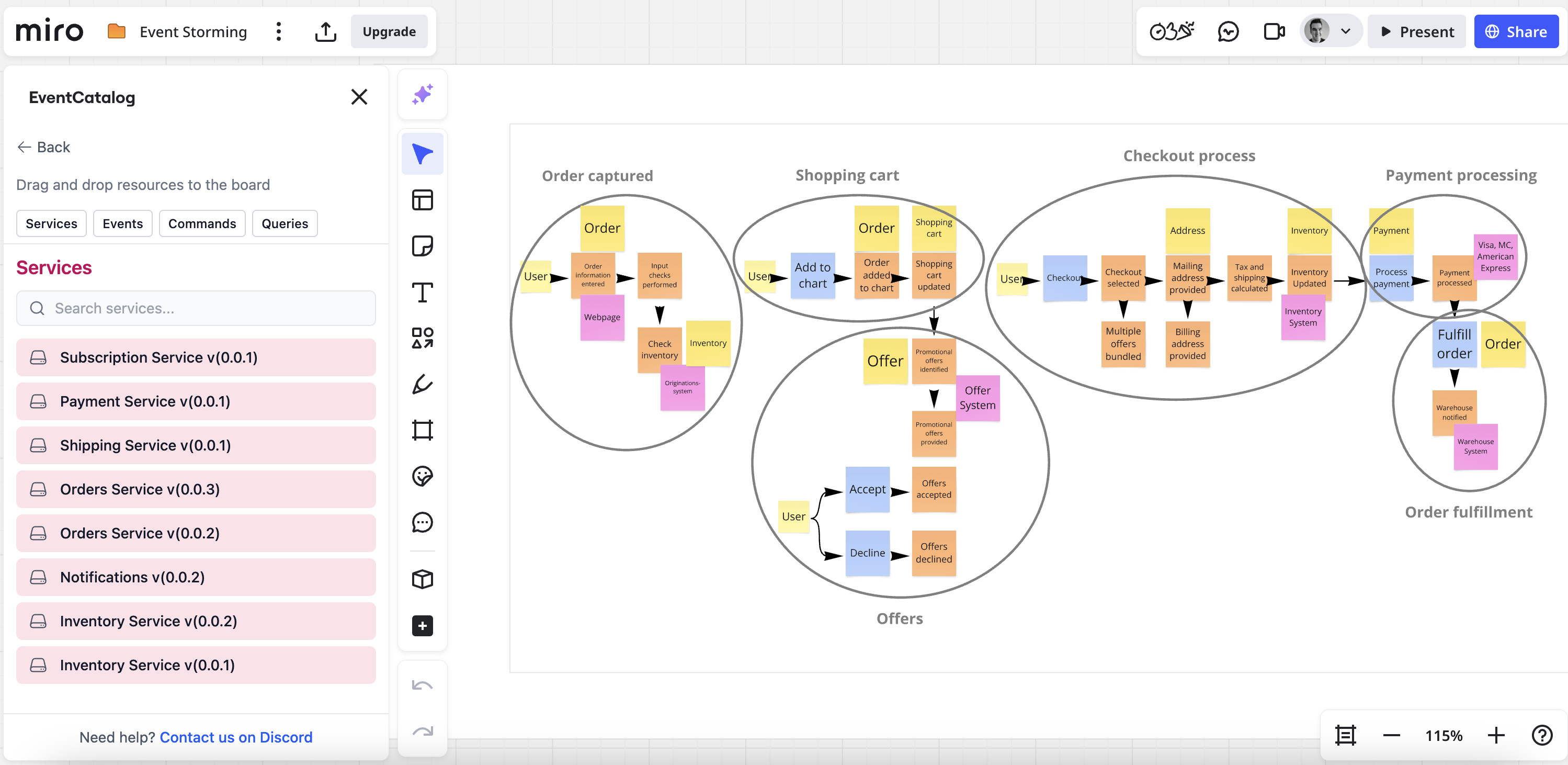
- Drag resources onto the board to visualize your architecture
- Design what comes next — add new resources, draw connections, and collaborate with your team
- Export the board to JSON and feed it to an AI agent with EventCatalog Skills to update your catalog
Core Features
- Drag and drop — drag services, events, commands, queries, channels, and data stores onto the board
- Automatic connections — draw connectors between resources and the app automatically labels them based on resource types (e.g. "publishes event", "receives", "writes to")
- Two display modes — view resources as detailed App Cards or compact Post-it notes
- Create new resources — add services and events that don't exist yet, directly from the app
- Inline editing — edit names, versions, summaries, and badges without leaving the board
- Dependencies toggle — choose whether to add a service with its full dependency graph or standalone
- Auto-layout — automatically arrange resources in a clean left-to-right flow
- Connection highlighting — select a resource to see all its connections highlighted on the board
- Export to JSON — export the board state for use with AI-powered catalog updates
Value for Teams
For Architects: Design system changes collaboratively on a Miro board using real architecture primitives, then push those changes back to your catalog.
For Developers: See how services, events, and data stores connect at a glance. Create new resources and connections before writing any code.
For Product & Engineering Leads: Facilitate architecture discussions with your team using a shared visual space grounded in your actual system design.
Connecting EventCatalog to Miro
- Go to the EventCatalog Application and install the app
- In your Miro board, go to "Tools, Media and Integrations" and search for "EventCatalog"
- Click on the "EventCatalog" app and import your resources using the JSON export from your catalog
No authentication or API keys required — the app runs entirely in your browser.
For detailed setup instructions, see the Getting Started guide.
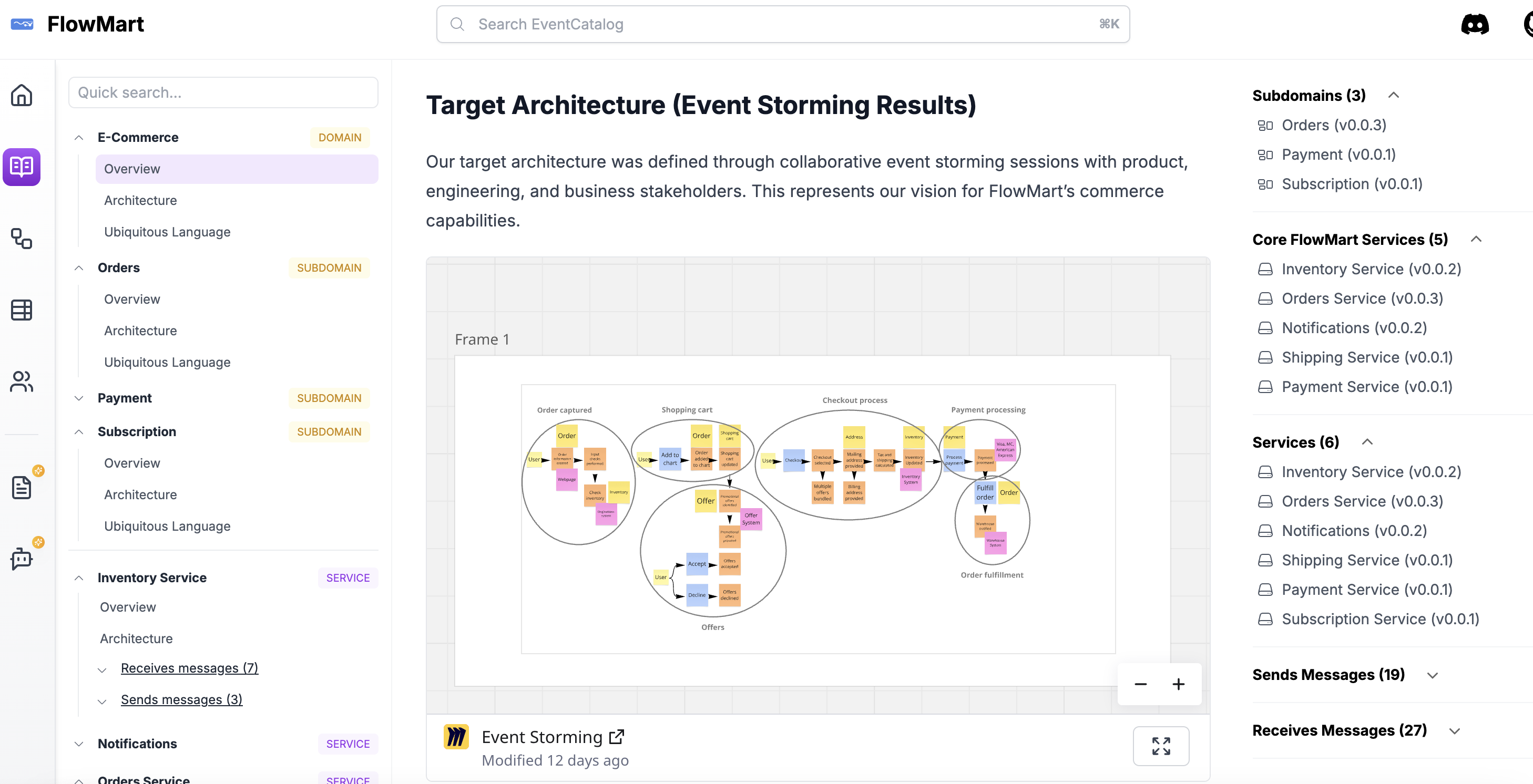
Embedding Miro diagrams into your EventCatalog
You can also embed any Miro board into your EventCatalog using the <Miro/> component.
You can embed Miro boards in your domains, services and messages.
To get started you can read the Miro component documentation or view the demo application here.
Pricing
Free and open source Miro app.