Model metadata
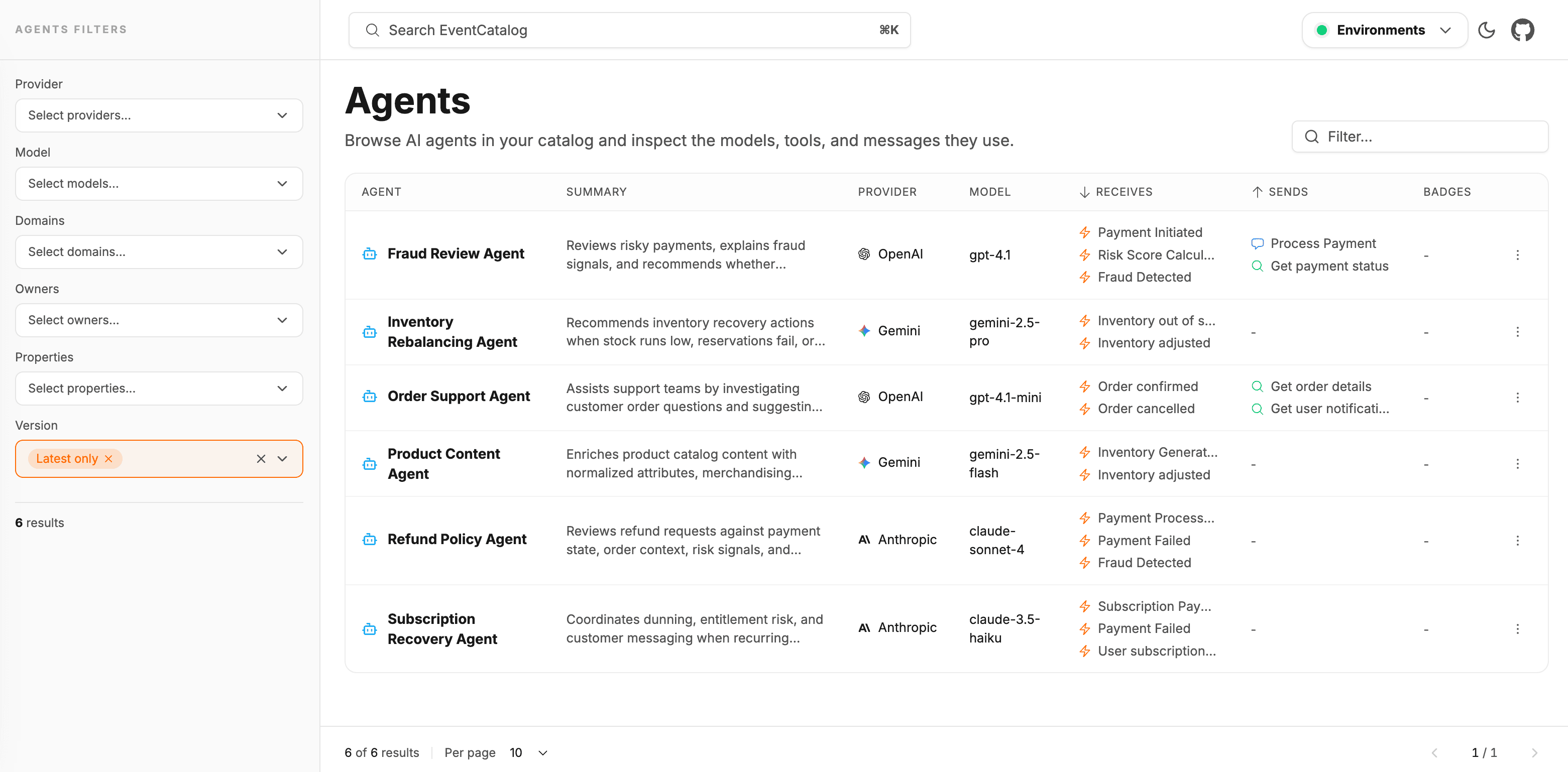
eventcatalog@3.41.0Every agent can declare the LLM it uses through a model block in its frontmatter. This gives your team a single place to see which model powers each agent across your entire catalog.
Why track the model?
LLM providers release new model versions, retire old snapshots, and change behavior between releases — often without a corresponding code deployment. Capturing provider, name, and version makes it easy to:
- Audit which agents are running on deprecated or retired snapshots.
- Surface model drift when a provider rolls out a new default.
- Give reviewers the context they need when an agent's output changes unexpectedly.
Add model metadata
Add a model block to your agent's frontmatter:
---
id: FraudReviewAgent
name: Fraud Review Agent
version: 0.0.1

# Optional model metadata describing the LLM this agent runs on
model:
  # The provider or platform powering the model
  provider: OpenAI
  # The model identifier
  name: gpt-4.1
  # The snapshot or API version of the model
  version: "2025-04-14"
---
---
id: InventoryRebalancingAgent
name: Inventory Rebalancing Agent
version: 0.0.1

# Optional model metadata describing the LLM this agent runs on
model:
  # The provider or platform powering the model
  provider: Gemini
  # The model identifier
  name: gemini-2.5-pro
  # The snapshot or API version of the model
  version: "2025-06-17"
---
---
id: ProductContentAgent
name: Product Content Agent
version: 0.0.1

# Optional model metadata describing the LLM this agent runs on
model:
  # The provider or platform powering the model
  provider: Anthropic
  # The model identifier
  name: claude-sonnet-4-5
  # The snapshot or API version of the model
  version: "20241022"
---
Model fields
| Field | Required | Description |
|---|---|---|
provider | No | The provider or platform — e.g. OpenAI, Anthropic, Gemini, Azure OpenAI |
name | No | The model identifier — e.g. gpt-4.1, claude-sonnet-4-5, gemini-2.5-pro |
version | No | The snapshot or API version — e.g. 2025-04-14, 20241022 |
All three fields are optional strings. Use whatever convention your provider uses for model identifiers and snapshot dates.
Model changes and versioning
When you upgrade the model an agent uses, consider whether the behavior change is significant enough to warrant a new agent version. Capturing the new model.version in a versioned snapshot (see Versioning) gives your team a clear record of when the model changed and who approved it.