<IcePanel />
Added in
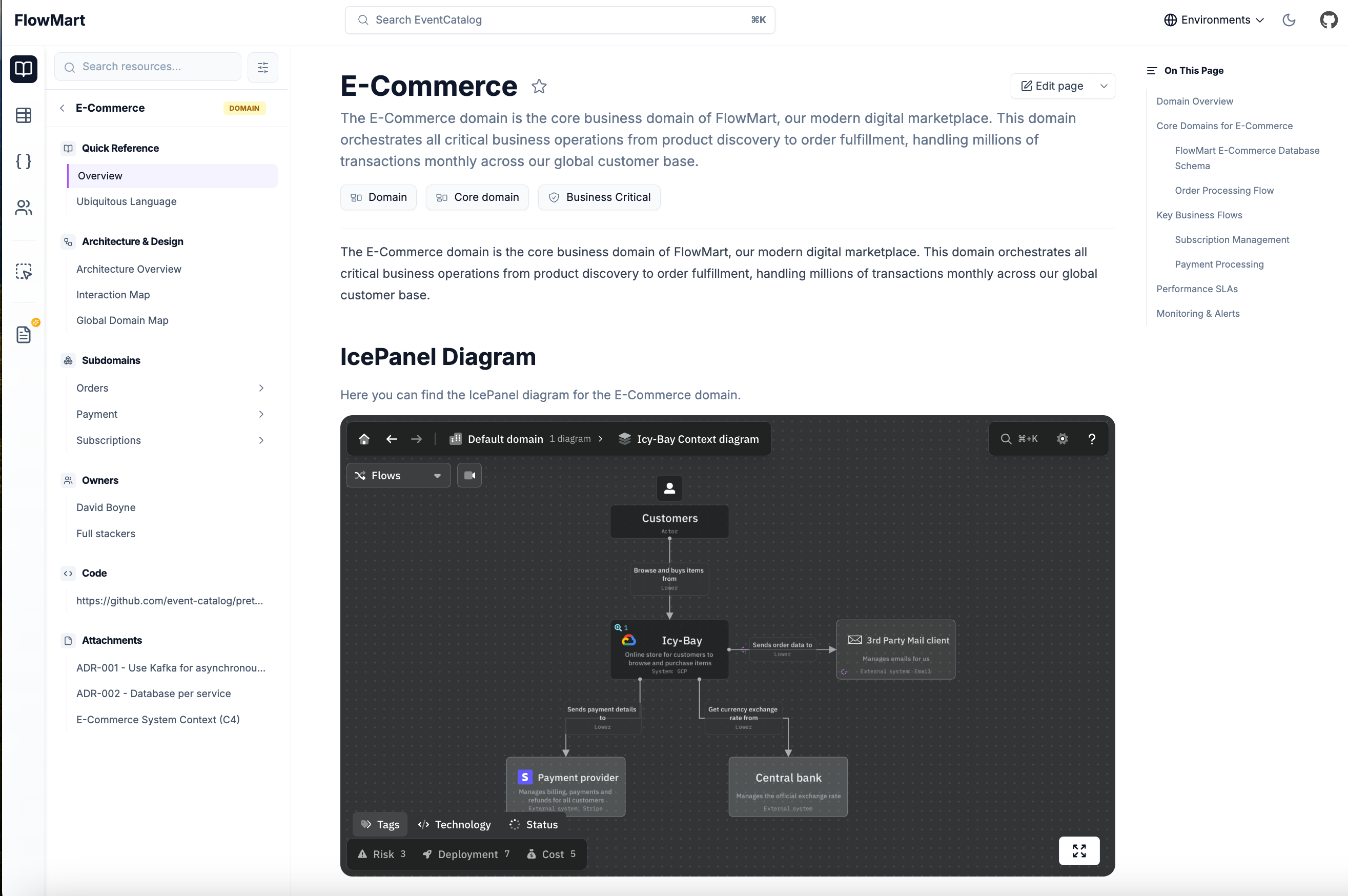
eventcatalog@3.2.1The <IcePanel /> component renders an IcePanel diagram in your documentation.
Each IcePanel diagram embedded can also be loaded in a full screen mode, letting your teams explore the diagram in detail.
Support
The <IcePanel /> component is supported in domains, services, all messages and custom documentation.
Usage
- Get your IcePanel share URL from your IcePanel diagram (click "Share" and copy the embed URL)
- Include the
<IcePanel />component inside the markdown- e.g
/events/MyEvent/index.mdx
- e.g
Basic Example
---
#event frontmatter
---

<IcePanel url="https://s.icepanel.io/OpQVdslrqhZkyb/0QfB" />
Example with title and description
---
#event frontmatter
---

<IcePanel
  url="https://s.icepanel.io/OpQVdslrqhZkyb/0QfB"
  title="System Architecture"
  description="Overview of our microservices architecture and communication patterns."
  height="800"
/>
Output example in EventCatalog
Props
| Name | Type | Default | Required | Description |
|---|---|---|---|---|
url | string | Yes | The share URL of the IcePanel diagram. To get the URL, click "Share" in IcePanel and copy the embed/share URL. | |
title | string | No | The title to display above the diagram. | |
description | string | No | A description to display below the title. | |
height | string | 600 | No | The height of the embedded diagram in pixels. |
width | string | 100% | No | The width of the embedded diagram. |