eventcatalog.config.js
Overview
eventcatalog.config.js contains configurations for your site and is placed in the root directory of your site.
Required fields
cId
- Type:
string
An automated generated ID for your catalog. EventCatalog will generate this for you.
module.exports = {
  cId: '107fdebb-7c68-42cc-975d-413b1d30d758',
};
title
- Type:
string
Title for your website.
module.exports = {
  title: 'EventCatalog',
};
organizationName
- Type:
string
Your organization name.
module.exports = {
  organizationName: 'Your Company',
};
Optional fields
base
- Type:
string - Default value:
/
The base path to deploy to. EventCatalog will use this path as the root for your pages and assets both in development and in production build.
module.exports = {
  base: '/',
};
output
eventcatalog@2.35.4- Type:
string - Default value:
static
The output type for your EventCatalog, choose from static or server.
static- The default output type for EventCatalog. This will output a static website that you can host anywhere.server- This will output a Node.js server that you can host anywhere. This is required for certain features like the EventCatalog Assistant (bring your own keys). The easiest way to host this is with our Docker image.
module.exports = {
  output: 'static',
};
outDir
eventcatalog@2.11.4- Type:
string - Default value:
dist
The output path of your EventCatalog. By default it will output to the dist folder.
module.exports = {
  // Catalog would output to the /build folder
  outDir: 'build',
};
trailingSlash
- Type:
boolean - Default:
false
Set the route matching behavior of the dev server. Choose from the following options:
'true' - Only match URLs that include a trailing slash (ex: “/foo/“) 'false' - Match URLs regardless of whether a trailing ”/” exists
Use this configuration option if your production host has strict handling of how trailing slashes work or do not work.
module.exports = {
  // Setting to true will add / onto all routes e.g http://website.com/visualiser/
  trailingSlash: true,
};
linkValidation
- Type:
object|false - Default:
{ onBrokenLinks: 'warn', onBrokenAnchors: 'warn' }
Checks internal links and anchors after a static build and reports any that are broken. Validation is skipped in SSR mode. Set to false to turn off the check entirely.
module.exports = {
  linkValidation: {
    onBrokenLinks: 'warn',
    onBrokenAnchors: 'warn',
    ignore: ['/api/**'],
  },
};
linkValidation.onBrokenLinks
- Type:
'warn' | 'error' | 'ignore' - Default:
'warn'
What to do when a link points to a page that does not exist. error fails the build, warn logs the problem but still builds, ignore skips the check.
linkValidation.onBrokenAnchors
- Type:
'warn' | 'error' | 'ignore' - Default:
'warn'
What to do when a link points to a valid page but an anchor (#section) that does not exist on it.
linkValidation.ignore
- Type:
string[] - Default:
[]
Glob patterns for destination URL paths to skip, relative to your catalog's base, starting with /. Patterns exclude the base prefix, query string, and anchor. For example, with base: '/catalog', use /docs/legacy/** to ignore /catalog/docs/legacy/example#section. Use this for links you know are valid but EventCatalog cannot verify, such as pages rendered outside the build.
module.exports = {
  linkValidation: {
    ignore: ['/api/**', '/docs/legacy/*'],
  },
};
See the link validation guide for what gets checked and how to use this in CI.
port
- Type:
number - Default: 3000
Configure the port EventCatalog is running on.
module.exports = {
  // Changes the port from default 3000 to 5000
  port: 5000,
};
host
eventcatalog@2.42.9- Type:
string|boolean - Default:
false
Set which network IP addresses the dev server should listen on (i.e. non-localhost IPs).
false- do not expose on a network IP addresstrue- listen on all addresses, including LAN and public addresses[custom-address]- expose on a network IP address at[custom-address]
module.exports = {
  host: '0.0.0.0',
};
server.allowedHosts
eventcatalog@2.64.0- Type:
string[]|true - Default:
[]
A list of hostnames that Astro is allowed to respond to. When the value is set to true, any hostname is allowed.
You can read more on the Astro documentation here.
module.exports = {
  server: {
    allowedHosts: ['example.com', 'subdomain.example.com'],
  },
};
security
eventcatalog@3.39.2- Type:
Record<"checkOrigin", boolean> | undefined - Default:
{checkOrigin: true}
Enables security measures for an EventCatalog website.
These features only exist for pages rendered on demand (SSR) using server mode or pages that opt out of prerendering in static mode.
By default, EventCatalog will automatically check that the “origin” header matches the URL sent by each request in on-demand rendered pages. You can disable this behavior by setting checkOrigin to false:
You can read more on the Astro documentation here.
module.exports = {
  output: "server",
  security: {
    checkOrigin: false
  }
};
generators
- Type:
Generator[] - Default:
[]
Generators are the foundation of plugins with EventCatalog. EventCatalog will call your generators on build.
module.exports = {
  generators: [
    [
      // This will load plugin.js in the root of your catalog
      '<rootDir>/plugin.js',
      // configuration for your generator
      {
        customValue: true,
        test: "Add any configuration values you want"
      },
    ],
  ],
};
environments
eventcatalog@2.48.2- Type:
object - Default:
{}
Optional configuration for EventCatalog environments.
When environments are set, a dropdown will be shown in the top right of the EventCatalog allowing your users to switch between environments.
module.exports = {
  environments: [
    {
      // Name of the environment
      name: 'Development',
      // URL of the environment
      url: 'https://demo.eventcatalog.dev',
      // Description of the environment
      description: 'Local development environment',
      // Short name of the environment (optional, used in the dropdown)
      shortName: 'Dev'
    },
    {
      name: 'Test',
      url: 'https://demo.eventcatalog.dev',
      description: 'Test environment for QA',
      shortName: 'Test'
    },
    {
      name: 'Production',
      url: 'https://demo.eventcatalog.dev',
      description: 'Production environment',
      shortName: 'Prod'
    },
  ]
};
landingPage
- Type:
string - Default:
'/docs'
Configure the landing page URL your EventCatalog loads. By default EventCatalog loads / (the default or custom landing page).
Clicking on the EventCatalog logo (or your custom logo), will also go to this URL.
If you set this value the Home icon in the Application sidebar will not be shown and your users will be redirected to this default URL.
You can set this to any EventCatalog page URL.
Examples:
/visualiser/discover/events/docs/services/InventoryService/0.0.2
module.exports = {
  landingPage: '/visualiser',
};
navigation
eventcatalog@4.0- Type:
object
Configure navigation in EventCatalog.
Use navigation.groups to configure the Application sidebar.
Use navigation.pages to configure the Documentation sidebar shown on /docs/* pages.
module.exports = {
  navigation: {
    groups: [
      {
        id: 'main',
        items: [{ id: 'home' }, { id: 'docs' }],
      },
      {
        id: 'browse',
        label: 'Browse',
        items: [
          { id: 'catalog' },
          { id: 'schemas' },
          { id: 'schema-insights', visible: false },
        ],
      },
      {
        id: 'organization',
        label: 'Organization',
        items: [{ id: 'teams' }, { id: 'users' }],
      },
      {
        id: 'settings',
        position: 'bottom',
        items: [{ id: 'settings' }],
      },
    ],
    pages: ['list:top-level-domains', 'list:all'],
  },
};
navigation.groups
navigation.groups configures the Application sidebar that appears across EventCatalog.
If you do not configure navigation.groups, EventCatalog renders the default Application sidebar.
If you do configure navigation.groups, your groups replace the default Application sidebar. Add every item you want users to see.
Built-in Application sidebar item IDs include:
homedocscatalogschemasschema-insightsteamsuserssettings
You can also reference built-in route IDs directly, such as /schemas/explorer, /directory/teams, or /settings/general.
Groups support:
| Property | Type | Description |
|---|---|---|
id | string | Unique group identifier. |
label | string | Optional label shown above the group. |
visible | boolean | Set to false to hide the group. |
position | 'top' | 'bottom' | Use bottom for groups pinned below the main navigation. Defaults to top. |
items | array | Navigation items in this group. |
Items support:
| Property | Type | Description |
|---|---|---|
id | string | Built-in item id, route id, or custom item id. |
label | string | Custom label. Required for custom items. |
icon | string | Any icon exported by lucide-react, such as House, BookOpen, or LifeBuoy. |
href | string | Required for custom items. Built-in items provide their own href. |
visible | boolean | Set to false to hide the item. |
match | string | string[] | Paths that should mark the item as active. Useful for custom navigation items. |
module.exports = {
  navigation: {
    groups: [
      {
        id: 'platform',
        label: 'Platform',
        items: [
          {
            id: 'platform-docs',
            label: 'Platform Docs',
            icon: 'BookOpen',
            href: '/docs/custom/platform/overview',
            match: ['/docs/custom/platform'],
          },
          {
            id: 'support',
            label: 'Support',
            icon: 'LifeBuoy',
            href: 'https://support.example.com',
          },
        ],
      },
    ],
  },
};
External href values open in a new tab.
navigation.pages
navigation.pages configures the context-aware Documentation sidebar shown on /docs/* pages.
module.exports = {
  navigation: {
    pages: ['list:top-level-domains', 'list:all'],
  },
};
See Documentation sidebar for all supported list, resource, group, and custom link options.
sidebarIn v3 you could show or hide Application sidebar items using the top-level sidebar property.
In v4 this has been replaced by navigation.groups.
The SideBarConfig type is no longer exported.
visualiser
eventcatalog@2.42.0- Type:
object
Configuration for the EventCatalog visualiser.
module.exports = {
  visualiser: {
    // visualizer is enabled by default
    // you can turn it off by setting it to false
    enabled: true,

    channels: {
      // The render mode for channels in the visualiser
      // Flat or single
      renderMode: 'flat'
    },

    // Opt-in, catalog-wide force-directed graph at /visualiser/graph
    architectureGraph: {
      enabled: true
    }
  }
};
| Configuration | Option | Default | Description |
|---|---|---|---|
visualiser.enabled | true or false | true | Enabled or disables the visualiser. Setting this to false will not render any visualiser pages in your catalog and also remove references to the visualiser features in your catalog. (Added in 2.65.1) |
visualiser.channels.renderMode | flat or single | flat | The render mode for the visualiser. flat means the channel node is duplicated for each message. single means the channel node is a single node for all messages. Depending on your use case/preferences you may want to use one or the other. |
visualiser.architectureGraph.enabled | true or false | false | Enables the architecture graph at /visualiser/graph. Opt-in while in beta. (Added in 4.5.0) |
docs
- Type:
object
Configure documentation rendering options in EventCatalog.
Use docs.sidebar for the Documentation sidebar render mode and orphaned message behavior.
Use navigation.pages when you want to choose which resources, groups, and custom links appear in the Documentation sidebar.
module.exports = {
   docs: {
    sidebar: {
      type: 'LIST_VIEW'
    }
  }
};
Configuration for the Documentation sidebar render mode.
docs.sidebar options
Sidebar Type
You can choose between LIST_VIEW or TREE_VIEW to render your documentation.
LIST_VIEWwill render your docs as you see in the demoTREE_VIEWwill render the DOCS as a tree view and map your file system folder structure.- Can be useful for large catalogs and navigation
eventcatalog@2.28.0docs: {
sidebar: {
type: 'LIST_VIEW'
},
},
Show/Hide Orphaned Messages
eventcatalog@2.61.8Any messages that do not belong to a service will be shown as orphaned messages in the sidebar (LIST_VIEW only).
If you wish to hide orphaned messages you can set the showOrphanedMessages to false.
docs: {
    sidebar: {
      type: 'LIST_VIEW',
      // Default is true
      showOrphanedMessages: false,
    },
  },
chat
- Type:
object
Configuration for EventCatalog Assistant.
The chat property requires a Scale plan and output: 'server' to take effect.
module.exports = {
  output: 'server',
  chat: {
    // Set to false to disable EventCatalog Assistant entirely
    enabled: false,
  },
};
| Option | Type | Default | Description |
|---|---|---|---|
chat.enabled | boolean | true | Enables or disables EventCatalog Assistant. Set to false to hide the assistant UI and prevent chat requests even when all other prerequisites are met. |
mcp
Configuration for the built-in EventCatalog MCP server.
The MCP server requires a Scale plan and output: 'server'. When those prerequisites are met, it is enabled by default. Set
mcp.enabled to false to prevent the MCP routes from being registered and hide the MCP connection actions on domain and
system pages.
module.exports = {
  output: 'server',
  mcp: {
    enabled: false,
  },
};
| Property | Type | Default | Description |
|---|---|---|---|
mcp.enabled | boolean | true | Enables or disables the built-in MCP server when its SSR and Scale prerequisites are met. |
See the MCP server guide for scoped domain and system endpoints, client setup, and OAuth configuration.
search
eventcatalog@3.36.0- Type:
object
Configure the search mode for your catalog.
module.exports = {
  search: {
    type: 'resource', // default
  },
};
| Option | Type | Default | Description |
|---|---|---|---|
search.type | 'resource' | 'indexed' | 'resource' | 'resource' searches resource metadata only. 'indexed' enables full-content search powered by Pagefind and builds a static index at build time. |
See the Search customization guide for details and trade-offs.
changelog
- Type:
object
Configuration for EventCatalog Changelog.
Changelogs are disabled by default.
You can enable changelogs by setting enabled to true.
module.exports = {
  changelog: {
    // Default is false
    enabled: true,
  },
};
editUrl
- Type:
string
URL used when people want to edit the documentation. For example your GitHub repo and branch.
module.exports = {
  editUrl: 'https://github.com/boyney123/eventcatalog-demo/edit/master',
};
repositoryUrl
eventcatalog@2.42.3- Type:
string
For Scale plans. This gives you the ability to show your own GitHub repository in EventCatalog (in the header bar).
URL to your repository for EventCatalog.
module.exports = {
  repositoryUrl: 'https://github.com/boyney123/eventcatalog-demo',
};
logo
- Type:
object
Logo, alt and text for your company logo.
Add your logo to your /public directory.
module.exports = {
  logo: {
    // This logo is located at public/logo.svg
    src: '/logo.svg',
    alt: 'Company logo',
    text: 'Urban Slice | EventCatalog',
  },
};
Example output

homepageLink
- Type:
string
URL used when people want to link the logo & title in the top navigation to the homepage of a website.
module.exports = {
  homepageLink: 'https://eventcatalog.dev',
};
mdxOptimize
- Type:
string
This is an optional configuration setting to optimize the MDX output for faster builds. This may be useful if you have many catalog files and notice slow builds. However, this option may generate some unescaped HTML, so make sure your catalog interactive parts still work correctly after enabling it.
This is disabled by default.
Read Astro documentation on optimize for MDX for more information.
module.exports = {
  mdxOptimize: true
};
compress
eventcatalog@2.48.5- Type:
boolean
Setting this to true will automatically compress your HTML, SVG, JavaScript, JSON and image files in the Astro outDir folder.
This is disabled by default from EventCatalog v2.61.9.
This only works for static builds.
eventcatalog@4.4.0astro-compress is no longer bundled with EventCatalog. Install it in your EventCatalog project before enabling compression:
npm install --save-dev astro-compress
module.exports = {
  compress: true
};
asyncAPI.renderParsedSchemas
eventcatalog@2.12.1- Type:
boolean
EventCatalog will render your AsyncAPI files into their own pages. By default EventCatalog will read your AsyncAPI files and parse your schemas to render them on the screen. Part of this process is validating your schemas and also adding metadata onto them (default).
If you want to keep your schemas as they are then you can set the asyncAPI.renderParsedSchemas to false.
If you are having issues seeing or rendering your AsyncAPI file try setting the renderParsedSchemas to false
module.exports = {
  asyncAPI: {
    renderParsedSchemas: false // default is true
  }
};
mermaid
eventcatalog@2.18.1- Type:
object
EventCatalog uses mermaid to render diagrams.
Using mermaid you can render icons in your diagrams (e.g AWS architecture icons).
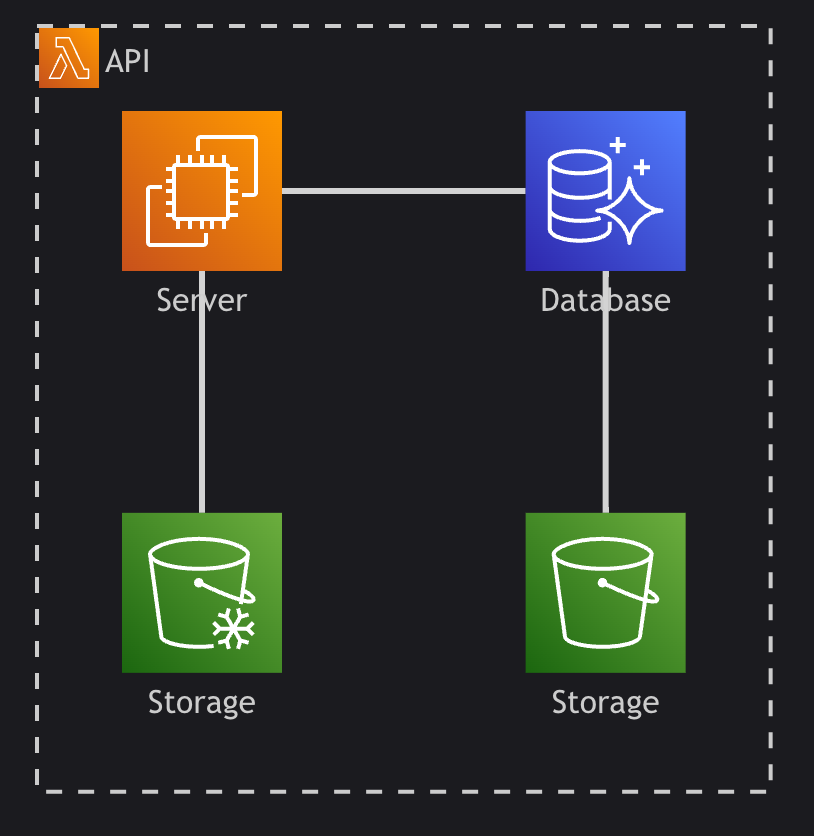
module.exports = {
  mermaid: {
    iconPacks: ['logos'], // will load https://icones.js.org/collection/logos into eventcatalog
    maxTextSize: 100000 // maximum text size for Mermaid diagrams (default: 100000)
  }
};
You can choose from over 200,000 icons from icones.js.org.
mermaid.iconPacks
eventcatalog@2.18.1- Type:
string[] - Default:
[]
Icon packs to load from icones.js.org. Use icon pack names like ['logos', 'mdi'] to load AWS, Azure, and other service icons.
Learn more about using icons in mermaid diagrams.
mermaid.maxTextSize
eventcatalog@3.9.1- Type:
number - Default:
100000
Maximum text size for Mermaid diagrams in characters. Increase this value if you have large diagrams that fail to render.
module.exports = {
  mermaid: {
    maxTextSize: 200000 // Allow larger diagrams
  }
};
rss
eventcatalog@2.21.1- Type:
object - Default:
{ enabled: false, limit: 15 }
Configure RSS feeds for catalog resources. RSS feeds are disabled by default.
When enabled, EventCatalog creates feeds for messages, services, domains, flows, and an all feed that combines the latest changes across supported resource types.
module.exports = {
  rss: {
    enabled: true,
    limit: 20,
  },
};
rss.enabled
- Type:
boolean - Default:
false
Turns RSS feeds on or off.
rss.limit
- Type:
number - Default:
15
Controls the maximum number of items returned in each feed.
Items are ordered by the last updated date of the resource file, with the most recently changed items first.
Feed URLs
After RSS is enabled, EventCatalog serves feeds at these paths:
| Feed | Path | Demo |
|---|---|---|
| Events | /rss/events/rss.xml | View demo |
| Commands | /rss/commands/rss.xml | View demo |
| Queries | /rss/queries/rss.xml | View demo |
| Services | /rss/services/rss.xml | View demo |
| Domains | /rss/domains/rss.xml | View demo |
| Flows | /rss/flows/rss.xml | View demo |
| Everything | /rss/all/rss.xml | View demo |
llms.txt
eventcatalog@2.20.0Enable tools like Claude, ChatGPT, GitHub Copilot, and Cursor to quickly understand your EventCatalog. When enabled, your catalog is accessible at /llms.txt and /llms-full.txt.
{
  llmsTxt: {
    enabled: true,
  }
}
See the LLMs documentation for more information, how you can use it and examples.
fullCatalogAPIEnabled
eventcatalog@3.10.2- Type:
boolean - Default:
true
Enable or disable the full catalog API which allows you to get the full catalog dump in the /api/catalog endpoint.
module.exports = {
  api: {
    fullCatalogAPIEnabled: false, // default is true
  }
};
domains
eventcatalog@2.63.0- Type:
object
Configuration for the domains table.
module.exports = {
  domains: {
    tableConfiguration: {
      columns: {
        name: { visible: true, label: 'Name' },
        summary: { visible: true, label: 'Summary' },
        services: { visible: true, label: 'Services' },
        badges: { visible: true, label: 'Badges' },
        actions: { visible: true, label: 'Actions' },
      }
    }
  }
};
See the Customize tables documentation for more information and examples.
systems
eventcatalog@4.0- Type:
object
Configuration for the systems table.
module.exports = {
  systems: {
    tableConfiguration: {
      columns: {
        name: { visible: true, label: 'System' },
        summary: { visible: true, label: 'Summary' },
        services: { visible: true, label: 'Services' },
        flows: { visible: true, label: 'Flows' },
        badges: { visible: true, label: 'Badges' },
        actions: { visible: true, label: 'Actions' },
      }
    }
  }
};
See the Customize tables documentation for more information and examples.
events
eventcatalog@2.63.0- Type:
object
Configuration for the events table.
module.exports = {
  events: {
    tableConfiguration: {
      columns: {
        name: { visible: true, label: 'Name' },
        summary: { visible: true, label: 'Summary' },
        producers: { visible: true, label: 'Producers' },
        consumers: { visible: true, label: 'Consumers' },
        badges: { visible: true, label: 'Badges' },
        actions: { visible: true, label: 'Actions' },
      }
    }
  }
};
See the Customize tables documentation for more information and examples.
queries
eventcatalog@2.63.0- Type:
object
Configuration for the queries table.
module.exports = {
  queries: {
    tableConfiguration: {
      columns: {
        name: { visible: true, label: 'Name' },
        summary: { visible: true, label: 'Summary' },
        producers: { visible: true, label: 'Producers' },
        consumers: { visible: true, label: 'Consumers' },
        badges: { visible: true, label: 'Badges' },
        actions: { visible: true, label: 'Actions' },
      }
    }
  }
};
commands
eventcatalog@2.63.0- Type:
object
Configuration for the commands table.
module.exports = {
  commands: {
    tableConfiguration: {
      columns: {
        name: { visible: true, label: 'Name' },
        summary: { visible: true, label: 'Summary' },
        producers: { visible: true, label: 'Producers' },
        consumers: { visible: true, label: 'Consumers' },
        badges: { visible: true, label: 'Badges' },
        actions: { visible: true, label: 'Actions' },
      }
    }
  }
};
See the Customize tables documentation for more information and examples.
services
eventcatalog@2.63.0- Type:
object
Configuration for the services table.
module.exports = {
  services: {
    tableConfiguration: {
      columns: {
        name: { visible: true, label: 'Name' },
        summary: { visible: true, label: 'Summary' },
        sends: { visible: true, label: 'Sends' },
        receives: { visible: true, label: 'Receives' },
        badges: { visible: true, label: 'Badges' },
        actions: { visible: true, label: 'Actions' },
      }
    }
  }
};
See the Customize tables documentation for more information and examples.
containers
eventcatalog@2.63.0- Type:
object
Configuration for the containers table.
module.exports = {
  containers: {
    tableConfiguration: {
      columns: {
        name: { visible: true, label: 'Name' },
        summary: { visible: true, label: 'Summary' },
        writes: { visible: true, label: 'Writes' },
        reads: { visible: true, label: 'Reads' },
        badges: { visible: true, label: 'Badges' },
        actions: { visible: true, label: 'Actions' },
      }
    }
  }
};
See the Customize tables documentation for more information and examples.
flows
eventcatalog@2.63.0- Type:
object
Configuration for the flows table.
module.exports = {
  flows: {
    tableConfiguration: {
      columns: {
        name: { visible: true, label: 'Name' },
        summary: { visible: true, label: 'Summary' },
        version: { visible: true, label: 'Version' },
        badges: { visible: true, label: 'Badges' },
        actions: { visible: true, label: 'Actions' },
      }
    }
  }
};
See the Customize tables documentation for more information and examples.
users
eventcatalog@2.63.0- Type:
object
Configuration for the users table.
module.exports = {
  users: {
    tableConfiguration: {
      columns: {
        name: { visible: true, label: 'Name' },
        email: { visible: true, label: 'Email' },
        slackDirectMessageUrl: { visible: true, label: 'Slack URL' },
        summary: { visible: true, label: 'Summary' },
        badges: { visible: true, label: 'Badges' },
        actions: { visible: true, label: 'Actions' },
      }
    }
  }
};
See the Customize tables documentation for more information and examples.
scalarConfiguration
- Type:
object
Pass custom configuration directly to the Scalar OpenAPI reference component. Any properties set here are spread into Scalar's configuration, allowing you to override or extend the defaults EventCatalog applies.
This is useful when you need Scalar-specific behaviour such as routing API requests through a proxy, changing the theme, or disabling built-in UI controls.
module.exports = {
  scalarConfiguration: {
    // Route OpenAPI requests through a proxy
    proxy: 'https://proxy.example.com',
  },
};
Refer to the Scalar configuration reference for the full list of supported options.
EventCatalog sets several Scalar options by default (such as theme, showSidebar, and hideDarkModeToggle). Any matching keys in scalarConfiguration will override these defaults.
teams
eventcatalog@2.63.0- Type:
object
Configuration for the teams table.
module.exports = {
  teams: {
    tableConfiguration: {
      columns: {
        name: { visible: true, label: 'Name' },
        summary: { visible: true, label: 'Summary' },
        badges: { visible: true, label: 'Badges' },
        actions: { visible: true, label: 'Actions' },
      }
    }
  }
};
See the Customize tables documentation for more information and examples.