# Creating entities
Copy as Markdown[View as Markdown](/docs/development/guides/domains/entities/adding-entities.md)
***
**Added in** `eventcatalog@2.36.0`
Entities are markdown files in EventCatalog, they have unique ids and can be versioned.
Entities can be assigned to domains and/or services.
You can read the Entity API documentation [here](/docs/api/entity-api.md).
### What do entities look like in EventCatalog?[](#what-do-entities-look-like-in-eventcatalog "Direct link to What do entities look like in EventCatalog?")
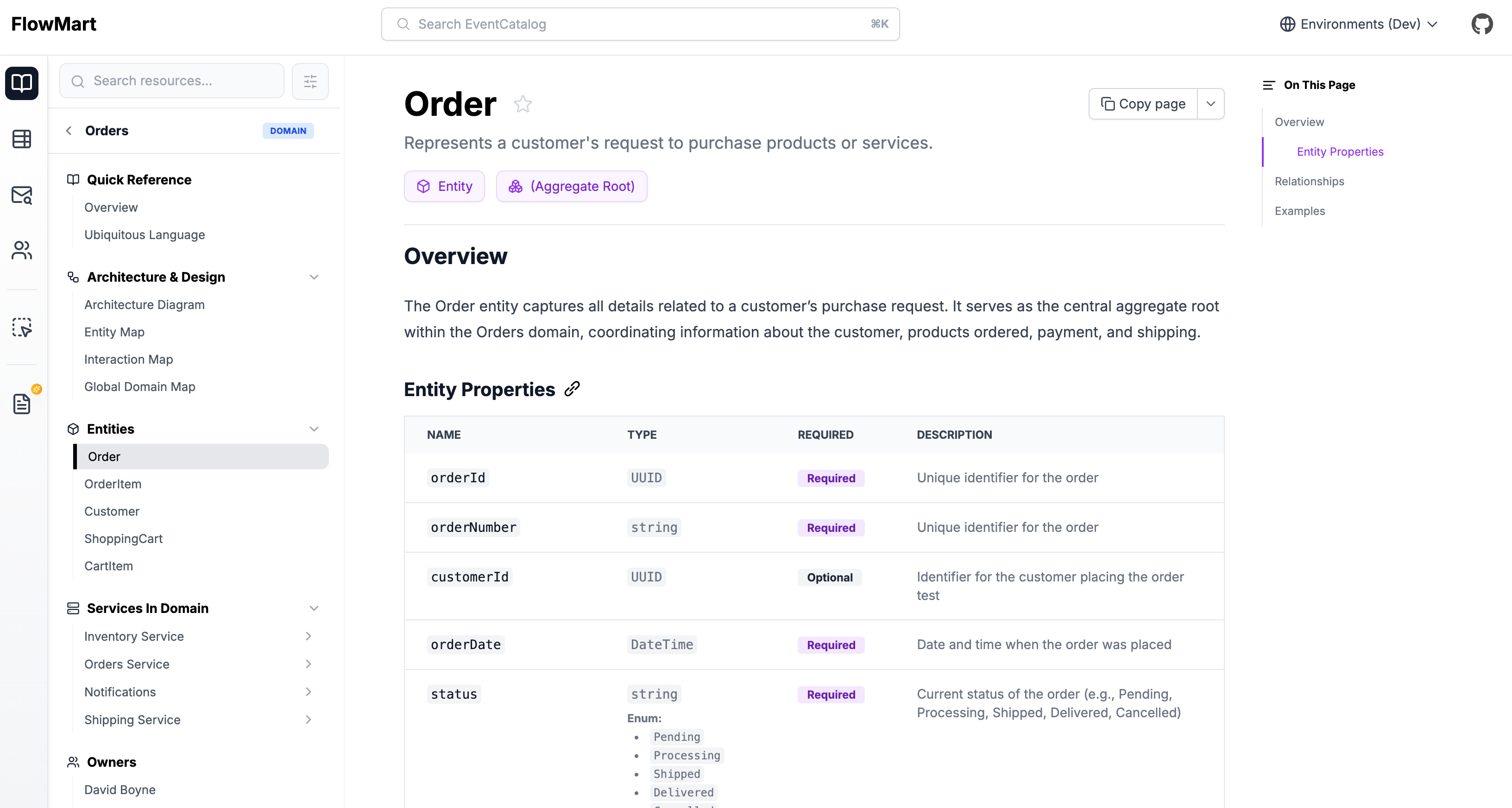
Entity visualization
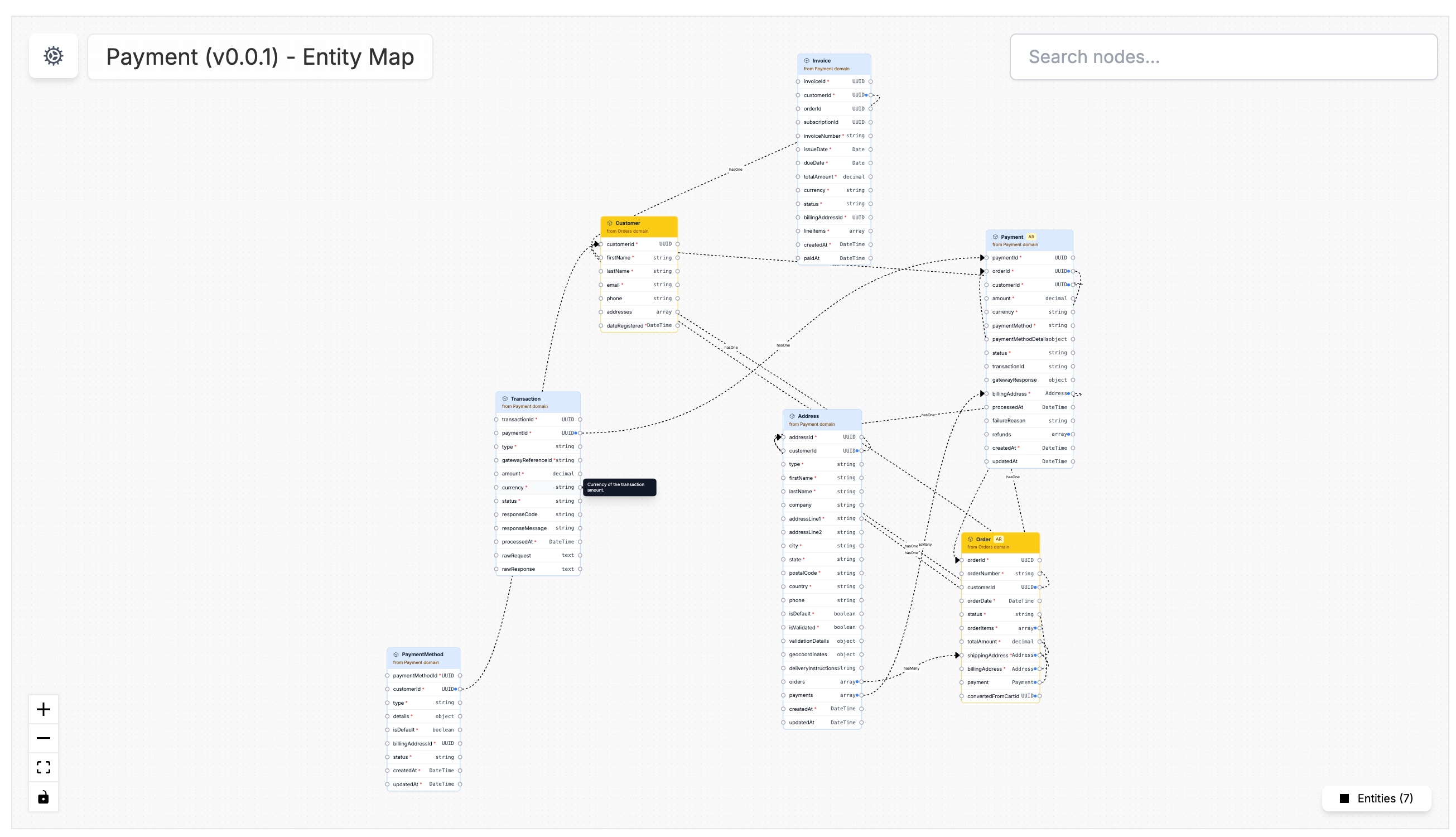
[View Demo of an OrderItem entity for an Orders domain →](https://demo.eventcatalog.dev/docs/entities/OrderItem/1.0.0)
## Adding a new entity[](#adding-a-new-entity "Direct link to Adding a new entity")
To add a new entity create a new folder within the `/domains` or `/services` folder with an `index.mdx` file.
**Creating an entity in a domain:**
* `/domains/{Domain Name}/entities/{Entity Name}/index.mdx`
* (example `/domains/Orders/entities/Order/index.mdx`)
**Creating an entity in a service:**
* `/services/{Service Name}/entities/{Entity Name}/index.mdx`
* (example `/services/PaymentService/entities/Payment/index.mdx`)
The `index.mdx` contents are split into two sections, **frontmatter** and the **markdown content**.
*Here is an example of what a entity markdown file may look like.*
/domains/Orders/entities/Order/index.mdx (example)
```
---
# the id of the entity (used in EventCatalog)
id: Order
# the name of the entity
name: Order
# the version of the entity
version: 1.0.0
# whether the entity is an aggregate root (optional)
aggregateRoot: true
# a summary of the entity (optional)
summary: Represents a customer's request to purchase products or services.
# the properties of the entity (optional)
properties:
- name: orderId
type: UUID
required: true
description: Unique identifier for the order
- name: customerId
type: UUID
required: true
description: Identifier for the customer placing the order
- name: orderDate
type: DateTime
required: true
description: Date and time when the order was placed
- name: status
type: string
required: true
description: Current status of the order (e.g., Pending, Processing, Shipped, Delivered, Cancelled)
enum: ['Pending', 'Processing', 'Shipped', 'Delivered', 'Cancelled']
- name: orderItems
type: array
items:
type: OrderItem # Assuming an OrderItem entity exists
required: true
description: List of items included in the order
- name: totalAmount
type: decimal
required: true
description: Total monetary value of the order
- name: shippingAddress
type: Address # Assuming an Address value object or entity exists
required: true
description: Address where the order should be shipped
---
## Overview
The Order entity captures all details related to a customer's purchase request. It serves as the central aggregate root within the Orders domain, coordinating information about the customer, products ordered, payment, and shipping.
### Entity Properties
## Relationships
* **Customer:** Each order belongs to one `Customer` (identified by `customerId`).
* **OrderItem:** An order contains one or more `OrderItem` entities detailing the specific products and quantities.
* **Payment:** An order is typically associated with a `Payment` entity (not detailed here).
* **Shipment:** An order may lead to one or more `Shipment` entities (not detailed here).
## Examples
* **Order #12345:** A customer orders 2 units of Product A and 1 unit of Product B, to be shipped to their home address. Status is 'Processing'.
* **Order #67890:** A customer places a large order for multiple items, requiring special shipping arrangements. Status is 'Pending' until payment confirmation.
```
Once you add you new entity, you need to add it to the domain.
/domains/Orders/index.mdx
```
---
# the id of the domain (used in EventCatalog)
id: Orders
# the name of the domain
name: Orders
# Add your entities here
entities:
- id: Order
# Optional, if not provided the latest version will be used
version: 1.0.0
---
This is your domain markdown....
```
Once your entity is defined and added to the domain, you can navigate to the entity through domain navigation.
To learn more about entities and how to use them, you can read the Entity API documentation [here](/docs/api/entity-api.md).
## Adding markdown content[](#adding-markdown-content "Direct link to Adding markdown content")
With **entities** you can write any Markdown you want and it will render on your page. Every entity gets its own page.
tip
Think about writing a blog. EventCatalog is just markdown. Write and use it how you like, and the website will render your content!
Within your markdown content you can use [components](/docs/development/components/using-components.md) to add interactive components to your page.
To find out more read the [entity components list](/docs/development/components/using-components.md).
### Tips for entity content[](#tips-for-entity-content "Direct link to Tips for entity content")
It's entirely up to you what you want to add to your entities markdown content but here are a few things you might want to consider.
* Add a summary of the entity
* Add a diagram of the entity
* Add examples of the entity
* Add a table of the entity properties using the `` component